
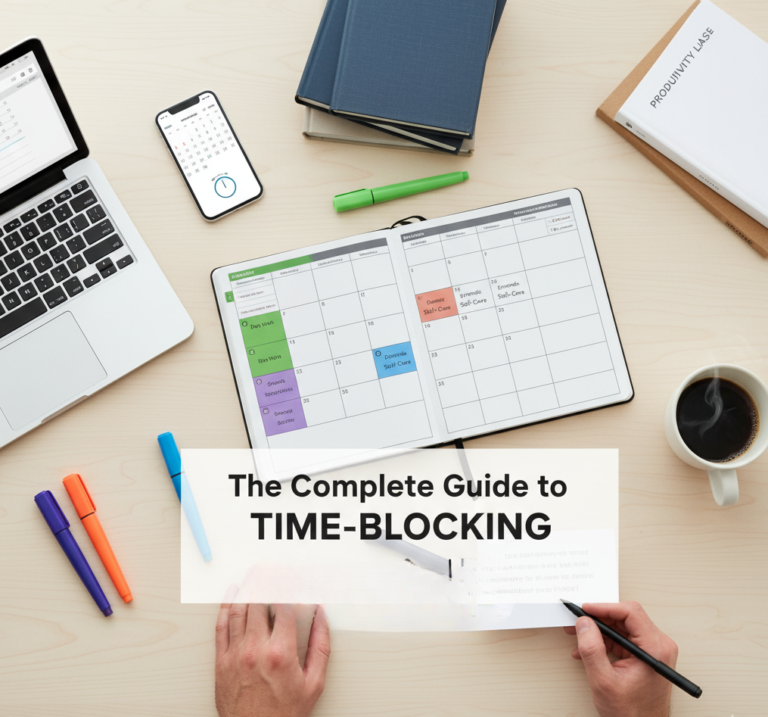
The Complete Guide to Time-Blocking (Step-by-Step List)
Time is the one resource truly shared by everyone, from the world’s most successful CEOs to the newest entrepreneur. The difference between those who achieve massive goals and those who struggle is how they allocate that resource. Time-blocking is the secret weapon of the highly effective, a core practice shared among the top 5 habits of highly effective people.
Time-blocking is the practice of scheduling every part of your day—not just meetings, but tasks, communication, and even breaks—directly onto your calendar. It turns your passive calendar into an active, protective roadmap for your attention. This guide provides the complete, step-by-step blueprint to implement and master this system.
Why Time Blocking Works: The Science of Protected Attention
Understanding the neurological and psychological mechanisms behind time blocking is not merely academic—it reveals why reactive, unstructured work is so damaging to output quality, and why deliberately scheduled blocks of protected time are so transformative.
The Context-Switching Cost
Every time you shift your attention from one task to another—from a deep writing project to a Slack notification, from a financial analysis to a quick email—your brain does not switch cleanly. It leaves behind what cognitive scientists call “attention residue”: a portion of your cognitive resources remains attached to the previous task, still processing it, even as you attempt to focus on the new one. Research by Dr. Sophie Leroy at the University of Washington found that this attention residue measurably impairs performance on the subsequent task. In a typical reactive workday involving dozens of context switches, a knowledge worker is rarely operating at more than 60–70% of their cognitive capacity at any given moment.
🧠 The Research: A landmark study by researchers at the University of California Irvine found that after an interruption, it takes an average of 23 minutes and 15 seconds to return to the original task—and most workers are interrupted again before they fully recover. Time blocking eliminates the trigger for these interruptions by making focused work the only scheduled option during protected periods.
Deep Work vs. Shallow Work: Cal Newport’s Framework
Computer Science professor and author Cal Newport introduced a distinction that reframes how most people should think about their workday. Deep Work is professional activity performed in a state of distraction-free concentration that pushes cognitive capabilities to their limit, creating new value, improving skills, and producing output that is hard to replicate. Shallow Work is non-cognitively demanding, logistical-style tasks often performed while distracted—emails, routine meetings, administrative tasks, social media management.
Newport’s central argument is that Deep Work is increasingly rare in the modern workplace (because open offices, always-on messaging, and reactive cultures make it structurally difficult) while simultaneously being increasingly valuable (because the economic rewards for those who can produce high-quality cognitive output are accelerating). Time blocking is the structural mechanism by which Deep Work becomes possible in an environment designed against it.
🚀 Deep Work (High Value)
- Writing, coding, complex analysis
- Strategic planning and creative problem-solving
- Learning and skill acquisition
- Client deliverables requiring full concentration
- Building, designing, innovating
Requires: 90–120 minute protected blocks, zero interruptions, single task focus
📧 Shallow Work (Low Value)
- Email and messaging responses
- Routine status updates and reports
- Administrative scheduling and filing
- Most meetings that could be emails
- Social media and content consumption
Requires: Batched into 2–3 specific daily windows, never interspersed with deep work
The Ultradian Rhythm: Your Brain’s Natural 90-Minute Clock
Your brain does not operate in a flat line of productivity throughout the day. Researcher Peretz Lavie and later Nathaniel Kleitman (who also discovered REM sleep) identified the Basic Rest-Activity Cycle (BRAC)—a 90-minute ultradian rhythm that governs your brain’s oscillation between high-focus and rest states throughout the waking day. During the active phase of this cycle, your prefrontal cortex operates at high efficiency: pattern recognition, creativity, and working memory are all at their peak. During the rest phase, attempting to force continued concentration produces diminishing returns and accelerating fatigue.
The practical implication for time blocking is direct: structure your Deep Work blocks to align with this natural 90-minute rhythm. A 90-minute focused block followed by a genuine 20-minute break (not a social media check—a true rest) is not a concession to laziness; it is working with your neurobiology rather than against it, and will produce more total high-quality output than attempting to maintain focus through forced longer sessions.
Time Blocking vs. Other Scheduling Methods: What’s the Difference?
Time blocking is frequently confused with related but distinct approaches. Understanding the differences helps you choose the right tool for the right situation—and explains why time blocking specifically outperforms to-do lists for cognitively demanding work.
| Method | Core Mechanism | Best For | Key Weakness | Use Together? |
|---|---|---|---|---|
| Traditional To-Do List | Inventory of tasks without time assignment | Capturing tasks; basic organization | No mechanism for execution; doesn’t prevent reactive work | YES — as input feed for blocks |
| Time Blocking | Assigns specific calendar time to every task category | Protecting deep work; managing the entire workday intentionally | Requires planning time; less flexible to urgent changes | — |
| Timeboxing | Sets a fixed maximum time limit for a specific task | Preventing Parkinson’s Law (work expands to fill time); perfectionism control | Doesn’t address interruptions or scheduling of other tasks | YES — use within blocks |
| GTD (Getting Things Done) | Capture, clarify, organize, review, engage | Managing large volumes of tasks across multiple projects | Doesn’t specify when tasks get done; can enable avoidance | YES — GTD for capture, blocking for execution |
| Pomodoro Technique | 25-minute focused sprints with 5-minute breaks | Overcoming task initiation; short-burst focus | 25 minutes too short for true deep work flow states | YES — use within deep work blocks |
| Theme Days | Assigns entire days to single categories of work | Entrepreneurs, managers, creative professionals | Not compatible with fixed daily meeting schedules | YES — macro layer above time blocking |
| Eat the Frog | Do the most dreaded task first each day | Overcoming procrastination on important tasks | No system for the rest of the day’s work | YES — determines content of first deep block |
💡 The Power Stack: The most effective system combines these methods in layers. GTD or Todoist captures all tasks → Theme Days provide the weekly macro structure → Time Blocking assigns each task to a specific calendar slot → Timeboxing or Pomodoro governs execution within each block. No single method is sufficient alone; together they create a complete operating system for your attention. Read our full guide to the 10 best productivity apps for the digital tools that support each layer.
1. The Pre-Blocking Audit: Preparation is Key
Before you start filling your calendar, you must know your starting point. Rushing into blocking without reflection is the fastest way to fail.
Step 1: Audit Your Time and Energy (Where Does Time Go?)
For one week, track exactly where your time goes. This means tracking the distractions, too. Many find they spend hours on low-value activities like endless email checking or social media scrolling—friction points addressed by blocking. Utilize productivity apps (like Toggl Track, listed in our list of the 10 best productivity apps) to automate this tracking.
The Procrastination Check
Identify the tasks you consistently delay. Time-blocking is the antidote to procrastination because it removes ambiguity. When a task has a specific time slot, the psychological barrier to starting drops significantly. This leverages the momentum principles taught in how to beat procrastination.
Step 2: Define Your MITs (Most Important Tasks)
Every day should have one or two Most Important Tasks (MITs) that, if completed, make the day a success. These are your “Deep Work” priorities. These tasks should align with your major life goals, whether that’s financial freedom or skill mastery.
Step 3: Know Your Energy Peaks
Schedule the hardest work during your biological peak (often 90–120 minutes after waking). The morning routine checklists for success are designed to help you harness this peak energy. Block your MITs for this time, not low-value tasks.
2. The 7-Step Time-Blocking Implementation Guide
This is the hands-on process for converting a blank calendar into a structured work week.
Block the Big Rocks (Sleep, Meals, Movement)
Your calendar must reflect reality. First, schedule non-negotiable health blocks: your sleep, exercise, and meal preparation/eating. This includes blocking time to execute quick and healthy weeknight dinners, ensuring you don’t compromise health for work.
Block the Deep Work (The MITs)
Place your Most Important Tasks (MITs) into your peak energy blocks. These blocks should be long (90–120 minutes) and completely protected. During this time, utilize your optimized home office setup to its full potential, with zero interruptions.
Block Communication & Reactive Work (Batching)
Never check email or Slack reactively throughout the day. Batch communication into 2–3 dedicated 30-minute blocks (e.g., 10:30 AM, 2:00 PM, 4:30 PM). This limits attention residue and enforces boundaries. This is the practical result of implementing changes in how to reduce screen time every day.
Block Administration (The Tidy-Up)
Schedule time for administrative tasks like tidying your desk, file management, or backing up your budget laptop files. Failure to schedule these tasks allows them to creep into Deep Work blocks.
Block Personal Growth and Finance
Schedule time for learning and wealth management. This includes blocking 30 minutes to read one of the top 10 books on personal finance, or dedicate time to working on your zero-based budget checklist. Time blocking ensures these crucial long-term tasks are not delayed.
Block Buffer Time (The Reality Check)
A perfect schedule breaks the moment a surprise meeting or urgent request arises. Block 15–30 minutes daily for “flex time” or “catch-up.” This prevents interruptions from derailing your entire schedule and is essential for managing unexpected events.
Block Shutdown (The Next-Day Prep)
Schedule 15 minutes at the end of your day to review your schedule, organize your workspace, and define the MIT for the next morning. This small ritual protects your evening and sets the stage for success the next day.
Theme Days: The Macro Layer of Weekly Design
For entrepreneurs, managers, and anyone with diverse work responsibilities, time blocking individual tasks is necessary but not sufficient. The cognitive cost of shifting between fundamentally different types of work—creative writing in the morning, client calls at noon, team management in the afternoon—is substantial even when each activity is individually blocked. Theme days provide the macro-level structure that eliminates this category-level context switching.
What Are Theme Days?
Theme days assign entire days (or half-days) to a single category of work. Monday might be “Client Work Day”—all client calls, client deliverables, and client communications happen on Monday and only Monday. Tuesday might be “Deep Creation Day”—no meetings, no calls, no communications except a single email batch. Wednesday might be “Internal Operations Day”—team meetings, administrative work, financial review, and planning.
“If I don’t have a theme for a day, then meetings and reactive requests fill every available crack, leaving zero protected time for the work that actually moves the business forward.” — Common experience among entrepreneurs who adopt theme days
Sample Theme Day Structures for Different Roles
🚀 Entrepreneur / Solopreneur
Mon: Client delivery + communication
Tue: Deep creation (content, product, strategy)
Wed: Operations + finance review
Thu: Sales + partnerships + networking
Fri: Learning + admin + weekly review
🏛 Manager / Team Lead
Mon: Planning + team 1-on-1s
Tue/Thu: Deep individual work (no meetings)
Wed: All team meetings + cross-functional calls
Fri: Review, approvals + weekly retrospective
💻 Knowledge Worker / Professional
Mon: Planning + email triage + weekly set-up
Tue/Wed: Concentrated deep work sprints
Thu: Meetings + collaborative work
Fri: Catch-up + lighter tasks + shutdown
🏫 Student / Academic
Mon/Wed: Class-heavy days — minimal study scheduling
Tue/Thu: Deep study sprints for complex subjects
Fri: Review + assignment work + social
Weekend: Major project work + rest balance
Meeting Batching and Meeting-Free Days: Protecting Your Highest-Value Time
Meetings are the single biggest structural threat to effective time blocking. A single 30-minute meeting in the middle of a morning does not cost 30 minutes—it costs the entire surrounding cognitive context. The preparation before the meeting (mentally shifting gears), the meeting itself, and the recovery time afterward (attention residue clearing before you can re-enter deep work) can easily consume a 3-hour block for a 30-minute event.
The Meeting Batching Principle
The solution is not to refuse all meetings—it is to batch them. Stack all meetings on the same day or in the same half-day wherever your role permits. If you have full calendar control, designate meeting days and meeting-free days explicitly. If you work in an organization with a meeting-heavy culture, even consolidating meetings into the afternoon half of each day preserves entire mornings for uninterrupted deep work—a transformation that most people describe as dramatically productivity-improving.
How to Negotiate Meeting-Free Time in a Team Environment
Protecting deep work time in a collaborative environment requires explicit communication and reasonable framing. These approaches work across most organizational cultures:
- Shared Calendar Blocking: Mark specific blocks as “Focus Time — Please avoid scheduling meetings during this window” in your shared calendar. Most calendar tools (Google Calendar, Outlook) support status labels that automatically decline conflicting meeting invitations.
- Proactive Disclosure: Communicate your focus blocks to frequent meeting organizers directly: “I protect Tuesday and Thursday mornings for deep project work. I’m always available for meetings Monday afternoon, Wednesday, and Friday.”
- The Scheduling Link Solution: Use a tool like Calendly that shows only your deliberately available windows. People who schedule through your link automatically see meeting slots that do not conflict with your protected blocks—without requiring any explanation or negotiation.
- Team Norms Advocacy: Propose a team-wide “no-meeting morning” agreement—one morning per week where the entire team commits to no internal meetings. This creates collective deep work time that is more powerful and socially normalized than individual calendar protection.
3. The Toolkit: Anchoring the Schedule (Digital and Physical)
Time-blocking requires commitment, but the right tools make compliance easy.
Digital Tools for Blocking
Your digital calendar is your commander. Use apps like Google Calendar, Outlook, or specialized productivity apps from our list of the 10 best productivity apps. Ensure you use strong passwords, protected by password managers, as your calendar holds critical security data about your daily movements.
Hardware for Focus
To make your blocks untouchable, your hardware setup must support deep work. Just as you need a clear plan for building your first PC, you need a clear plan for your focused environment.
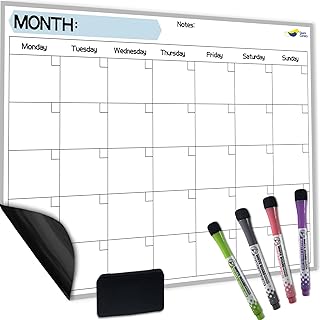
While digital is essential, seeing your entire week blocked out on a large, physical surface provides unmatched psychological commitment. This dry erase calendar serves as the central visual reference for your Time Blocked week, reinforcing Habit 2 (Discipline of Time Blocking). It allows you to see the “Big Picture” blocks (Deep Work, Health, Finance) even when your computer screen is minimized, reducing the urge to break the schedule.
Check Price on Amazon
Time blocks require protected focus. A portable white noise machine creates an acoustic boundary that shields your Deep Work blocks from chaotic household noise. This ensures that a sudden interruption or conversation doesn’t derail your attention, maximizing the efficiency of your scheduled time—a core principle of effective focus and an invaluable tool for your home office setup.
Check Price on AmazonChoosing Your Calendar App: A Practical Comparison for Time Blockers
Your calendar app is the execution layer of your entire time blocking system. The right tool should make creating, adjusting, and visualizing blocks effortless—reducing the friction between intention and action. The wrong tool creates administrative overhead that makes the system feel burdensome.
| App | Best For | Drag & Drop Blocks | Color Coding | Mobile App | Integrations | Cost |
|---|---|---|---|---|---|---|
| Google Calendar | Universal baseline; anyone starting out | YES | YES | YES | Gmail, Meet, Todoist, Zapier, 1000+ apps | Free |
| Fantastical | Mac/iOS power users; natural language input | YES | YES | YES | All major calendar providers; task integrations | $4.75/mo |
| Structured (iOS) | Visual daily planning; drag-and-drop timeline view | YES | YES | iOS only | Apple Calendar, Reminders | Free / $29.99/yr |
| Reclaim.ai | Automated time blocking; AI-assisted scheduling | YES | YES | YES | Google Calendar, Todoist, Asana, Jira | Free / $8/mo |
| Motion | Fully automated AI scheduling of tasks into calendar | YES | YES | YES | Google Calendar, Zoom, project tools | $19/mo |
| Notion Calendar | Existing Notion users wanting database-calendar integration | YES | YES | YES | Google Calendar, Notion databases | Free |
| Outlook Calendar | Microsoft 365 environments; corporate teams | YES | YES | YES | Full Microsoft 365 suite; Teams integration | Included with M365 |
💡 AI-Powered Calendar Tools: Apps like Reclaim.ai and Motion represent the next frontier of time blocking. They automatically schedule tasks from your to-do list into available calendar slots based on your priorities, deadlines, and working hours—then dynamically reschedule when disruptions occur. For those who find manual calendar management burdensome, these tools dramatically reduce the administrative cost of maintaining a time-blocked schedule.
Sample Time-Blocked Week: What a Real Schedule Looks Like
Abstract principles become real when you see them applied to an actual weekly calendar. Below are two sample time-blocked days—one for a knowledge worker/professional and one for an entrepreneur with full schedule autonomy. These are templates, not prescriptions: adapt block durations, categories, and timing to your chronotype and role.
Sample Day: Knowledge Worker / Remote Professional
08:00 — DEEP WORK BLOCK #1 [90 min] → Most Important Task (writing, analysis, coding)
09:30 — Break + movement (10 min walk)
09:45 — DEEP WORK BLOCK #2 [75 min] → Secondary project or continued MIT
11:00 — COMMUNICATION BATCH #1 [30 min] → Email + Slack triage
11:30 — Lunch + full break (no screens)
12:30 — ADMIN BLOCK [30 min] → Scheduling, filing, follow-ups
13:00 — DEEP WORK BLOCK #3 [60 min] → Creative/secondary project
14:00 — COMMUNICATION BATCH #2 [30 min] → Email + Slack response
14:30 — MEETINGS / CALLS [90 min] → All meetings batched into this window
16:00 — COMMUNICATION BATCH #3 [20 min] → Final email + end-of-day messages
16:20 — SHUTDOWN RITUAL [15 min] → Review day, set tomorrow’s MIT, close all tabs
16:35 — Evening (protected — no work)
Color key: ■ Deep Work ■ Communication ■ Admin/Meetings ■ Shutdown/Life ■ Break
Sample Day: Entrepreneur / Solopreneur (Theme Day: Creation Day)
08:30 — DEEP CREATION BLOCK #1 [2 hrs] → Primary product / content / strategy work
10:30 — Break + walk
10:45 — DEEP CREATION BLOCK #2 [75 min] → Secondary project or creative continuation
12:00 — Lunch + full break
13:00 — FINANCE BLOCK [30 min] → Budget review, investment check, financial tasks
13:30 — DEEP CREATION BLOCK #3 [60 min] → Lower-intensity creative work or learning
14:30 — SINGLE COMMUNICATION WINDOW [45 min] → All email, all messages, all calls
15:15 — ADMIN + OPS [30 min] → Business tasks, scheduling, tools management
15:45 — SHUTDOWN + TOMORROW PREP [20 min] → Log work, set next day’s theme and MIT
16:05 — Protected personal time
4. Time-Blocking for Life Mastery (Integrating Your Goals)
Time-blocking is not just a work tool; it’s a life tool. It forces you to prioritize long-term goals over short-term distractions.
Blocking for Financial Freedom
Financial success is built on scheduled, intentional actions. Highly effective people don’t find time to manage money; they make time.
- Budget Block: Schedule a weekly or bi-weekly block dedicated solely to reviewing your zero-based budget checklist.
- Investment Block: Block 30 minutes monthly to research and review your portfolio, aligning with the principles of the four types of investment accounts explained.
- Accountability: Schedule 15 minutes weekly to implement a step toward improving your credit score fast. This aligns with the proactive nature of the 7 habits of people who are good with money.
Blocking for Travel and Experience
Travel is a major goal for many, but planning it often succumbs to procrastination. Time blocking reserves the mental space needed for seamless execution.
- Planning Block: Schedule a dedicated block (e.g., Sunday 1 PM) to execute your trip planning checklist.
- Research Block: Time-block for researching destinations, such as finding the cheapest European cities.
- Prep Block: Schedule time to organize your luggage, applying the minimalist philosophy of the ultimate packing list and ensuring you have the essential items in your carry-on bag.
- Rewards Block: Schedule 10 minutes monthly to review and optimize your points strategy using the best travel rewards credit cards.
Time Blocking by Role: Tailored Strategies for Different Lifestyles
Time blocking looks different depending on your role, responsibilities, and the degree of schedule autonomy you have. A freelancer with complete calendar control faces very different challenges than a middle manager whose day is largely governed by others’ meeting requests.
Time Blocking for Remote Workers
Remote work offers the greatest calendar autonomy—and the greatest temptation to let that autonomy collapse into unstructured reactivity. Without physical office norms to govern work hours, remote workers often find themselves either working too much (always available, never truly off) or struggling to maintain structure without external accountability.
- Hard Start and Hard Stop: Block explicit work start and end times in your calendar and treat them as non-negotiable as office hours. The absence of a commute means the psychological boundary between work and personal life must be deliberately constructed through calendar design.
- Location Anchoring: Link specific block types to specific physical locations where possible—deep work only at the desk, calls from the standing area, reading during the scheduled break. Spatial association strengthens behavioral consistency.
- Over-Communicate Your Blocks: Share your working hours and focus windows with teammates via a shared calendar or a pinned Slack message. Remote team culture improves when availability norms are explicit rather than assumed.
Time Blocking for Parents and Household Managers
Parents managing work alongside childcare responsibilities face the most constrained scheduling environment of any group. Time blocking for parents requires a fundamentally different approach that works with childcare realities rather than against them.
- Naptime and School Hours as Sacred Deep Work Windows: Identify the consistent, child-free windows in your week (school hours, nap times) and treat them with the same rigor as a corporate deep work block. These windows are finite, predictable, and precious—do not waste them on low-value reactive tasks.
- Micro-Blocking: When only 20–30 minute windows are available, use them for single, specific tasks pre-identified during your weekly planning session. The worst use of a 25-minute window is deciding what to do with it.
- Partner Calendar Coordination: Use a shared family calendar (Google Calendar shared family calendar is free and effective) to coordinate coverage, ensuring both partners have protected time for their respective professional and personal priorities.
- Lower the Bar, Keep the Block: A 40-minute deep work block with two interruptions is still dramatically more productive than no protected time at all. Accept imperfection without abandoning the system.
Time Blocking for Side Hustle Builders
Building a side project alongside full-time employment is one of the most challenging scheduling scenarios, requiring the creative use of “edge hours”—the time before, after, and between primary job commitments.
- The Pre-Work Block: A 60–90 minute block before your primary job starts (typically 6–7:30 AM) is often the highest-ROI edge-hour window. Your mind is fresh, interruptions are minimal, and the work happens before the reactive demands of the day can consume your energy.
- Lunch Micro-Block: A consistent 30-minute lunch deep work window accumulates to 2.5 hours per week—over 100 hours per year—that can meaningfully advance a side project.
- Weekend Deep Work Mornings: Saturday and Sunday mornings before family and social obligations represent the largest contiguous deep work windows available to employed side hustlers. Protect them explicitly with calendar blocks and communicate their purpose to household members.
- The Weekly Hour Target: Set a weekly minimum hour target for your side project and track it using a tool like Toggl Track. Making the accumulation visible transforms vague aspiration into measurable commitment.
Energy Management: The Missing Half of Effective Time Blocking
Most time blocking guides treat time as the only variable. But a two-hour block is not a fixed unit of productivity—its output depends entirely on the energy quality of the person inside it. A rested, nourished, low-stress person in a two-hour deep work block produces 3–5x more high-quality output than an exhausted, hungry, anxious person in the same two-hour block. Managing energy is therefore as important as managing time in determining the actual productivity outcome of your blocked schedule.
The Four Energy Dimensions
💤 Physical Energy
The foundation. Sleep, nutrition, hydration, and movement determine the raw fuel available for cognitive work. A deep work block scheduled on 5 hours of sleep is a hollow ritual. Protecting 7–9 hours of sleep is the highest-leverage scheduling decision most people can make. Building quick healthy dinners into your schedule directly supports the next morning’s cognitive output.
🧠 Mental Energy
Cognitive bandwidth depleted by decision-making, problem-solving, and attention demands. Protect mental energy by making routine decisions automatic (standard meal prep, standard morning routine), using implementation intentions to eliminate task initiation decisions, and scheduling cognitively demanding work before decision fatigue accumulates in the afternoon.
💕 Emotional Energy
Stress, interpersonal conflict, anxiety, and resentment all consume mental resources directly needed for focus. Managing emotional energy through stress reduction, boundaries, and self-compassion is not a “soft” practice—it is direct performance optimization. Unresolved emotional processing actively impairs prefrontal cortex function.
🌟 Purpose Energy
The motivational fuel derived from meaning and alignment. Tasks that feel purposeless or misaligned with personal values produce energy drain even when completed successfully. Periodically auditing your blocked tasks against your actual goals—and eliminating, delegating, or reframing misaligned work—restores the motivational surplus that makes sustained high performance possible.
Strategic Break Design: Not All Breaks Are Equal
The break between your deep work blocks is not incidental—it determines the quality of the next block. The type of break matters as much as the fact of taking one. Research by attention restoration theory (Kaplan, 1989) and stress recovery studies consistently shows that nature exposure, light physical movement, and genuine disengagement from screens produce dramatically better cognitive restoration than scrolling social media during a “break”—which produces continued attentional demand while preventing genuine recovery.
| Break Type | Cognitive Restoration | Examples | Recommended Duration |
|---|---|---|---|
| Nature Walk | Highest — activates restorative attention | Walking outside, even briefly around the block | 10–20 minutes |
| Light Physical Movement | Very High — increases blood flow to PFC | Stretching, pushups, a short walk indoors | 5–15 minutes |
| Genuine Rest | High — allows default mode network to consolidate | Eyes closed, sitting quietly, looking out a window | 10–20 minutes |
| Casual Non-work Conversation | Medium — social recovery; uses language network | Brief chat with a colleague or family member | 5–10 minutes |
| Social Media / News | Very Low — demands attentional resources | Instagram, Twitter/X, news feeds | Avoid — not a true break |
| Work Email During Break | Negative — extends attention residue | Checking email, Slack, or messages | Never — defeats the break’s purpose |
The Art of Saying No: Protecting Your Blocks in the Real World
Your time blocks are only as effective as your ability to defend them. Every meeting request that lands in your deep work window, every “quick question” that interrupts a focused sprint, and every non-urgent task that masquerades as urgent represents an attack on your protected time. Defending blocks is not selfishness—it is professional responsibility to deliver your best work.
Language Frameworks for Protecting Your Time
Having pre-prepared responses for common interruption scenarios dramatically reduces the friction of protection. These phrases work across most professional contexts:
- For meeting requests during focus blocks: “I have protected focus time during that window—would [alternative time] work for you? I’m always available [specific alternative times].”
- For urgent-seeming interruptions: “I want to give this my full attention. Can I come back to you at [specific time in your next communication block]?”
- For additional project requests when at capacity: “I would genuinely like to help with this. To do it justice, I would need to deprioritize [current project]. Would that trade-off make sense to you?”
- For open-door office culture pressure: “I find I do my best thinking in focused blocks. I’m always available during [specific hours] and respond to messages within [X hours]. Does that work for what you need?”
💡 The “Yes to the Person, No to the Request” Principle: Many people struggle to protect time because they conflate declining a request with rejecting the person making it. Separating these—being warm and genuinely helpful toward the individual while firmly declining or rescheduling the specific demand—allows you to maintain both professional relationships and schedule integrity simultaneously.
5. Troubleshooting: What to Do When the Schedule Fails
Your time block will fail. A client will call. An emergency will arise. The difference between the effective and the ineffective person is how they recover.
The Emergency Recovery Protocol
- Never Panic: The moment you break your block for an urgent task, do not treat the whole day as lost.
- Reschedule Immediately: Look at your calendar, find the next available block, and move the unfinished task there. Do not rely on your memory.
- Identify the Interruption Source: If the failure was digital, tighten your focus rules. If it was physical, ensure you have the right tools (like a quiet environment or a simple gadget like the top 5 kitchen gadgets that automate a household chore).
The 8 Most Common Time Blocking Mistakes (And Exactly How to Fix Them)
Most people who try time blocking and abandon it do so because of specific, correctable errors—not because the method itself doesn’t work. Understanding these failure patterns in advance dramatically improves your chance of building a durable system.
- 1 Making Blocks Too Small and Too Specific Blocking “Write paragraph 3 of section 2” at 10:14 AM creates a schedule that collapses at the first deviation. Block categories and durations, not micro-tasks: “Deep Writing — 90 min” rather than granular specificity. The task list tells you what to do; the calendar tells you when to do it.
- 2 Zero Buffer Between Blocks Back-to-back blocks with no transition time create a schedule that is physically impossible to execute. Every block runs over occasionally. Every human needs physical transitions. Add 10–15 minute buffers between major blocks to accommodate reality without cascading delay.
- 3 Scheduling Shallow Work in Peak Energy Windows Answering email at 9 AM when your prefrontal cortex is at maximum capacity is one of the most common and damaging time blocking errors. Peak energy windows are non-renewable within the day. Never fill them with shallow work—reserve them exclusively for Deep Work requiring maximum cognitive output.
- 4 No Weekly Planning Session Time blocking requires a weekly pre-loading ritual—typically 20–30 minutes on Sunday or Monday morning—where you review the coming week, pre-assign your MITs to specific blocks, and anticipate conflicts. Without this, you create your schedule reactively each morning, which defeats the entire purpose of the system.
- 5 Treating Every Block Failure as System Failure A missed block is a data point, not a verdict. The correct response to a disrupted block is immediate rescheduling and a brief note of what caused the disruption—not abandoning the system for the day or week. Imperfect execution of a good system still dramatically outperforms no system.
- 6 Under-Protecting Communication Blocks Designating email batching windows but then checking email outside them “just quickly” destroys the attention management benefit. The value of communication batching comes entirely from its consistency. One reactive email check per day reactivates the attention residue problem for the rest of the day.
- 7 No Energy Audit Alongside the Time Audit Scheduling 4 hours of deep work per day when you are currently sleeping 5 hours a night is aspirational fiction, not a productivity system. Your initial time audit must include an honest energy audit: how many hours of genuinely high-quality focus are you biologically capable of sustaining at your current health and recovery baseline?
- 8 Never Reviewing and Iterating the System A time blocking system designed in week one will not be optimal by week eight. Schedule a monthly review (15 minutes) to evaluate which block types are consistently failing, which times are consistently under-performing, and which new demands have emerged that require structural accommodation. Systems that are never refined slowly become obsolete.
The Weekly Review: How to Iterate and Improve Your Blocking System
The weekly review is the maintenance protocol that keeps your time blocking system alive and relevant. Without it, your calendar gradually drifts from your actual priorities as new demands accumulate and old blocks become stale. Cal Newport, the author who popularized time blocking, describes his weekly planning ritual as non-negotiable—it is the system’s heartbeat.
The 5-Part Weekly Review Protocol
- 1 Capture and Clear (5 minutes) Process every loose item from the previous week: unfinished tasks, notes, ideas, promises made, commitments received. Move everything into your task manager. Clear your physical and digital inboxes to zero. This prevents the accumulation of unprocessed items that create background cognitive noise.
- 2 Review Active Projects (5 minutes) Scan every active project. For each: is it progressing? Is the next action clear and scheduled? Is there a block assigned for the next step? Identify any projects that have been stuck for more than two weeks and diagnose the blockage.
- 3 Evaluate Last Week’s Blocks (5 minutes) Which blocks held? Which were repeatedly disrupted? What was the primary source of disruption? Look for patterns—recurring meeting conflicts, energy crashes at certain times, consistent underestimation of task duration. Each pattern is an actionable optimization opportunity.
- 4 Design Next Week (10 minutes) Open your calendar for the coming week. Block the non-negotiables first (health, sleep, existing commitments). Assign your MITs to your peak energy windows. Batch communication blocks. Add buffer. Identify theme days if applicable. Pre-fill at least 70% of your working hours with intention.
- 5 Set the Horizon (5 minutes) Briefly scan your 30-day and 90-day horizon: are there upcoming deadlines, events, or milestones that should influence this week’s priorities? Are any long-term goals going unrepresented in your daily blocks? This prevents the common failure mode of urgent-reactive work consistently displacing important-strategic work.
Final Verdict: Time Blocking is Freedom
Time-blocking is often mistaken for rigidity, but in truth, it provides ultimate freedom. By controlling where your attention goes, you reclaim agency over your day. You stop reacting to the world and start proactively designing your life, ensuring that your time is spent on your goals, not someone else’s.
Start Today: Your First Time-Blocked Week in 3 Steps
The gap between understanding time blocking and actually doing it is closed by one thing: a concrete first action. Do not wait for the perfect system before beginning. A rough first week of time blocking will produce more useful data and habit momentum than any amount of planning without execution.
- 1 Tonight: The 20-Minute Calendar Design Session Open your calendar for the coming week. Block three things only: (a) your one daily MIT in your peak energy morning window, (b) two daily communication batches (10:30 AM and 3:30 PM), (c) a 15-minute shutdown ritual each evening. Do not try to block everything in week one. These three block types produce 80% of time blocking’s benefit and require minimal planning investment.
- 2 This Week: Honor the Three Blocks Do not add complexity. For five working days, defend your MIT block, respect your communication batch windows, and conduct your shutdown ritual. Keep a brief note of what disrupted each block type and how you responded. This data drives your week-two optimization.
- 3 Sunday: Your First Weekly Review Spend 25 minutes doing your first weekly review using the 5-part protocol above. Add one new block category for week two based on what your week-one data showed was most needed. Gradually build toward a complete schedule over 4–6 weeks rather than designing the perfect system in a single sitting.
🌟 The Final Word: Start today. Block your calendar, commit to your blocks, and watch your productivity—and your life—transform. The world will always generate more demands than you can possibly accommodate. Time blocking does not create more hours; it ensures that the hours you have are spent on what genuinely matters to you—not on what is merely loudest, most recent, or most visible in your inbox.