
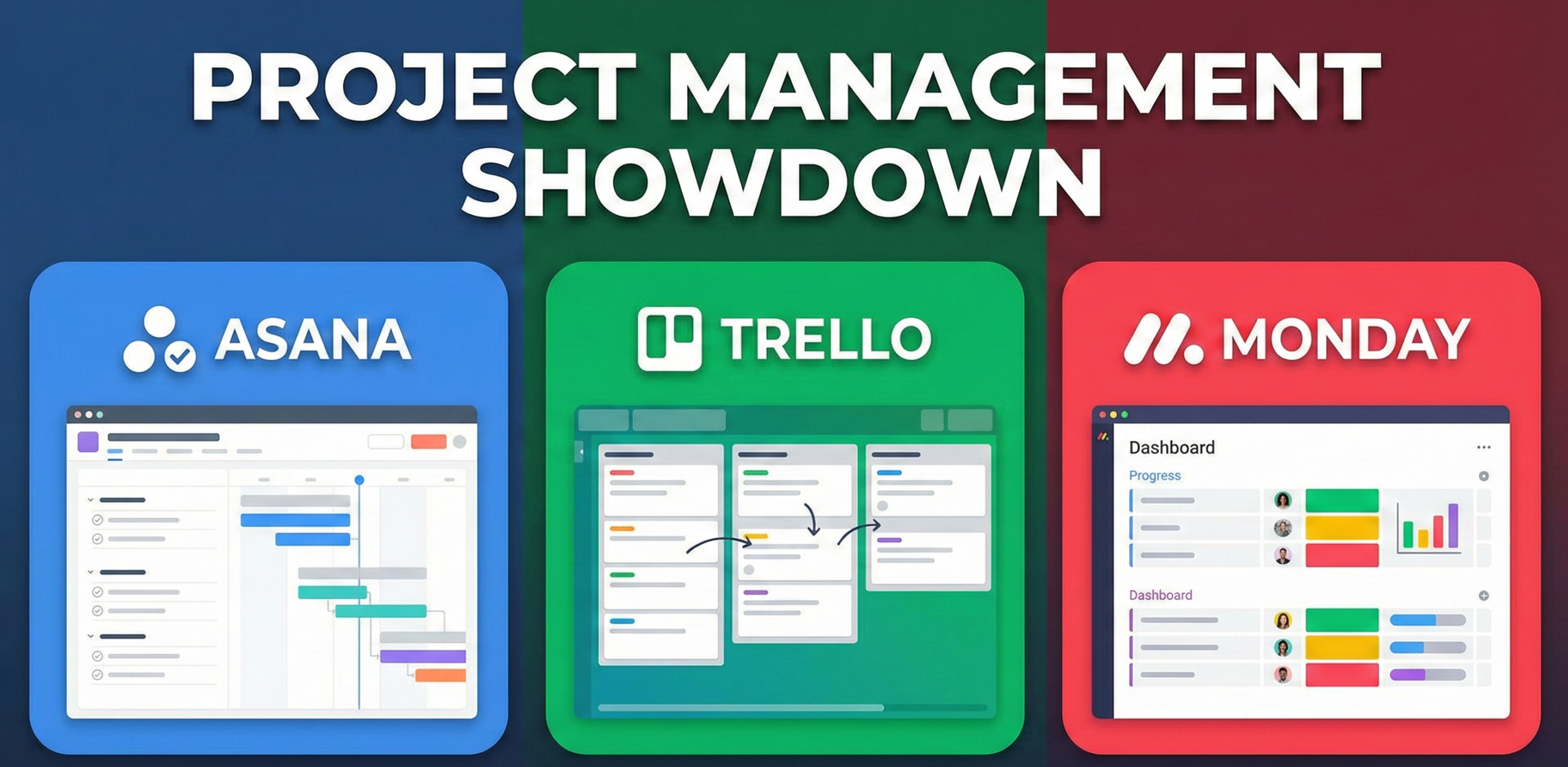
Asana vs. Trello vs. Monday.com: The Ultimate Project Management Showdown
If you manage a team, you know the nightmare: tasks buried in email threads, deadlines lost in Slack channels, and the constant question, “Who is doing what?” Project management software is the antidote to this chaos. But picking the right one is harder than ever.
The “Big Three”—Asana, Trello, and Monday.com—dominate the market. They all promise to organize your work, but they do it in radically different ways. Choosing the wrong one can lead to “software fatigue,” where your team spends more time managing the tool than doing the work.
In this comprehensive guide, we strip away the marketing fluff to compare these giants on usability, power, automation, integrations, reporting, mobile experience, security, and price—helping you decide which “digital HQ” is right for your team.
💡 The Real Cost of the Wrong Tool
Research from McKinsey estimates that knowledge workers spend 20% of their workweek searching for internal information or tracking down colleagues for status updates. The right project management tool doesn’t just organize tasks—it reclaims this time by making status, ownership, and deadlines visible to everyone without a single meeting.
At a Glance: Quick Comparison
Short on time? Here is the high-level breakdown of who wins in each category.
| Category | Trello | Asana | Monday.com |
|---|---|---|---|
| Best For | Small teams & simple projects | General project management | Custom workflows & operations |
| Primary View | Kanban Board | List / Timeline | Spreadsheet / Dashboard |
| Learning Curve | Easiest (10 mins) | Medium | Medium-High |
| Free Plan | Excellent | Very Good (up to 15 users) | Limited (2 users max) |
| Automation | Basic (Butler) | Good (Rules) | Advanced (Custom Logic) |
| Reporting | Minimal | Good | Excellent |
| Mobile App | Good | Very Good | Good |
| Gantt / Timeline | Paid add-on only | Premium plan | Standard plan |
| Guest Access | Yes (free) | Yes (limited) | Yes (paid plan) |
| Best Industry Fit | Creative, Marketing | Cross-functional teams | Operations, Sales, Dev |
1. Trello: The Kanban King
Trello is the digital equivalent of sticky notes on a whiteboard. It popularized the Kanban method (To Do → Doing → Done) for the masses. Its beauty lies in its simplicity. You don’t need a manual to use Trello; you just drag and drop.
Why You’ll Love It
Trello is incredibly visual. Each task is a “Card.” You open a card to add checklists, attachments, and comments. It feels tactile. For creative teams or linear processes (like content calendars or hiring pipelines), Trello is unbeatable.
Power-Ups: Trello’s Secret Weapon
Trello’s extensibility through Power-Ups is what separates a lightweight Kanban board from a genuinely capable tool. Power-Ups are integrations and feature extensions that bolt onto any board. The free plan allows one Power-Up per board; paid plans allow unlimited. Essential Power-Ups include the Calendar view (for deadline visualization), the Card Aging Power-Up (which fades stale cards, making neglected tasks visually obvious), the Map Power-Up (for location-based projects), and integrations with Slack, Google Drive, Jira, Salesforce, and dozens more. The Power-Up library currently has over 200 options, making Trello’s simplicity deceptively scalable for teams willing to invest in configuration.
Butler: Trello’s Automation Engine
Butler is Trello’s built-in automation tool, available on all plans including free (with monthly action limits). Butler works through simple “when X happens, do Y” rules. Examples: “When a card is moved to the Done list, mark all checklists complete and archive the card after two days.” “When a due date is set, assign the card to the project manager.” For Trello’s typical use cases—content pipelines, hiring processes, onboarding flows—Butler provides more than enough automation to eliminate manual administrative work. It is not as powerful as Monday’s automation engine, but it requires far less setup time.
✅ Pros
- Zero Learning Curve: Anyone can use it immediately without training.
- Visual Focus: Great for seeing workflow status at a glance.
- Generous Free Plan: Unlimited cards, members, and boards.
- Power-Ups: Huge library of integrations for extensibility.
- Butler Automation: Simple, effective automation without complexity.
- Guest Access: Free external collaborator access on all plans.
❌ Cons
- Limited Native Views: Kanban only without paid Power-Ups.
- Not for Big Projects: Complex projects become unwieldy scroll-fests.
- Reporting: Virtually no native advanced reporting capabilities.
- No Task Dependencies: Cannot link tasks that must complete in sequence.
- Single Assignee Only: No native multi-assignee per card.
Trello’s Sweet Spot: Workflow Mapping
Where Trello genuinely excels beyond simple task tracking is as a workflow visualization tool. Any repeatable process that moves through discrete stages—a blog post from “Idea” to “Published,” a hire from “Applied” to “Onboarded,” a bug from “Reported” to “Resolved”—maps perfectly onto a Trello board. The visual progression of cards across columns is motivating, intuitive, and immediately scannable for managers. If your team’s work is primarily sequential and stage-based, Trello will feel less like a tool and more like a natural extension of how you already think about work.

Agile Project Management For Dummies
Trello is built on Agile principles. If you want to maximize the software, you need to understand the methodology. This guide is the perfect primer for your team.
Check Price on Amazon2. Asana: The Balanced Powerhouse
Asana was founded by a Facebook co-founder to solve the problem of “work about work.” It is more structured than Trello but less overwhelming than enterprise software. It strikes a balance that works for the majority of companies managing cross-functional projects with multiple stakeholders.
Why You’ll Love It
Asana shines with its List View. It allows you to break down massive projects into sections, tasks, and subtasks. It handles dependencies well (e.g., “Task B cannot start until Task A is finished”). It also has a fantastic “My Tasks” view that aggregates everything assigned to you across all projects into one daily checklist—a feature so useful it regularly appears in user reviews as the primary reason they stay with the platform.
Asana Rules: Automating Without an Engineering Degree
Asana’s automation system is called “Rules,” and it strikes a better balance between power and usability than either Trello’s Butler or Monday’s automation builder. Rules use a straightforward trigger-action format: “When a task is marked complete, assign the next task to the responsible teammate.” “When a task is moved to this section, set due date to two weeks from today.” The key differentiator is Asana’s ability to chain rules across projects—triggering actions in Project B based on events in Project A. For agencies managing deliverables across clients, or product teams managing handoffs between design, development, and QA, this cross-project automation is genuinely powerful.
Portfolios and Goals: The Executive View
Asana’s Business and Enterprise plans add two features that no other tool in this comparison offers in the same way: Portfolios and Goals. Portfolios provide a live dashboard of multiple projects’ statuses simultaneously—a single view of all active work, showing whether each project is on track, at risk, or off track, with workload data across team members. Goals allow you to connect every project and task back to the company’s strategic objectives, creating a visible link between daily work and organizational priorities. For leaders who need to present progress to boards or executives, these features are transformative.
✅ Pros
- Multiple Views: List, Board, Calendar, Timeline, and Workload.
- “My Tasks”: The best personal task dashboard in the industry.
- Task Dependencies: Link tasks that must complete in sequence.
- Cross-Project Automation: Rules that span multiple projects.
- Portfolios & Goals: Strategic-level project tracking.
- Free for 15 Users: Massive benefit for small startups and teams.
❌ Cons
- Single Task Assignee: Only one person can be assigned per task by design.
- Pricey Tiers: The jump to Premium unlocks essential features at a real cost.
- Complexity Creep: Large organizations can create sprawling, confusing structures.
- No Native Time Tracking: Requires a third-party integration.
Asana AI: The Intelligence Layer
Asana has invested heavily in AI features under the “Asana Intelligence” banner. These features include AI-generated project status updates (the AI reads the current state of tasks and writes a draft status report for the project manager to review), smart task suggestions that predict what follow-up tasks should be created based on meeting notes, and AI-powered workload balancing that flags when a team member is overloaded. These features are genuinely useful rather than gimmicky, particularly for project managers who spend significant time on status reporting. They are currently available on higher-tier plans.
3. Monday.com: The Work OS
Monday.com doesn’t call itself a project management tool; it calls itself a “Work OS.” It is colorful, loud, and incredibly customizable. Think of it as a beautiful, intelligent spreadsheet that has been given a design refresh and a powerful automation engine.
Why You’ll Love It
Monday is column-based. You create a board and add columns for anything: Status, Date, Numbers, Rating, People, Location, Formula, Mirror. This flexibility means you can use Monday for CRM, inventory tracking, ad campaign management, bug tracking, event planning, or recruitment pipelines. Its automation engine (“When status changes to Done, email the client”) is the most robust of the three.
Monday Work Management vs. Monday CRM vs. Monday Dev
A crucial detail that many comparison articles miss: Monday.com is not a single product. It is a platform with specialized verticals. Monday Work Management is the general-purpose project management product. Monday CRM is a built-on-Monday customer relationship management solution with deal tracking, contact management, and sales pipeline features. Monday Dev is a purpose-built product for software development teams, with sprint management, backlog grooming, bug tracking, and GitHub/GitLab integrations. These specializations mean that companies can grow within the Monday ecosystem rather than outgrowing it—a strategic advantage that Trello and Asana cannot fully match.
✅ Pros
- Extreme Customization: Build exactly the workflow you need from scratch.
- Dashboards: Pull data from multiple boards into one high-level executive view.
- Automations: Powerful multi-step “If this, then that” logic builder.
- Multiple Products: CRM, Dev, and Service verticals within one ecosystem.
- Column Variety: 30+ column types including formula and mirror columns.
- Modern UI: Engaging, colorful interface with strong visual hierarchy.
❌ Cons
- Seat Minimums: Must purchase seats in groups—not individually.
- Feature Lock: Many essential features sit behind the Pro tier.
- Weak Free Plan: Severely limited at two users—unusable for most teams.
- Overwhelming Setup: Blank boards with infinite options paralyze new users.
- Cost at Scale: Can become expensive as team size grows significantly.

Samsung 34-Inch Ultrawide Monitor
Monday.com’s horizontal timelines and massive data tables beg for screen real estate. An ultrawide monitor lets you see the whole project without endless scrolling.
View on AmazonFeature Face-Off
Interface & User Experience
Trello wins for pure simplicity. It is impossible to get lost. The drag-and-drop interface requires no instruction—onboarding a new team member takes under ten minutes. Asana wins for clarity; its consistent use of white space, readable typography, and logical navigation hierarchy makes complex project structures feel manageable. The interface is clean without being sparse. Monday.com is polarizing: the bold colors and data density are energizing for some users and overwhelming for others. Its interface makes more demands on new users but pays off with greater information density once mastered. If your team includes members with varying levels of technical comfort, Asana’s interface presents the lowest risk of adoption resistance.
Task Management Depth
All three tools handle the basics—task creation, assignment, due dates, comments, and file attachments. The differences appear at the edges of task management sophistication. Asana supports subtasks nested inside tasks, which can themselves have sub-subtasks, enabling genuinely hierarchical project breakdown. Monday supports item groups and subitems with full column sets on each level. Trello’s card model is intentionally flat—there is no native subtask hierarchy, only checklists within cards, which limits depth on complex projects.
Task dependencies—the ability to mark that Task B cannot begin until Task A completes—are available in Asana (Premium and above) and Monday (Standard and above), but not natively in Trello. For any project with sequential dependencies (common in product development, construction, event planning, and legal workflows), the absence of dependency tracking in Trello is a meaningful limitation.
Views & Visualization
How you see your work determines how effectively you can manage it. Each tool’s view offerings reflect its core philosophy.
- Board (Kanban) — native, all plans
- Table view — paid plans
- Calendar view — Power-Up or paid
- Timeline — paid plans only
- Map view — Power-Up
- Dashboard — paid plans
- List view — all plans
- Board view — all plans
- Calendar — all plans
- Timeline (Gantt) — Premium+
- Workload view — Business+
- Portfolio view — Business+
- Main table (spreadsheet) — all plans
- Kanban board — all plans
- Timeline (Gantt) — Standard+
- Calendar — Standard+
- Chart view — Standard+
- Workload — Pro+
- Map view — Pro+
Gantt and Timeline Views
For anyone managing projects with defined start and end dates, sequential dependencies, and resource allocation across time, a Gantt chart is not optional—it is essential. Asana’s Timeline view is the most polished of the three: clean, drag-to-adjust, with dependency lines clearly visible and a natural integration with the rest of the project structure. Monday’s Timeline is similarly capable and benefits from the platform’s column flexibility—you can choose which data columns surface in the timeline view. Trello’s Timeline requires a paid plan and, while functional, feels bolted on compared to the native timeline experience in the other two tools.
Workload Views
Workload visualization—seeing how much work each team member has assigned across a given time period—is a critical feature for managers responsible for preventing burnout and ensuring balanced distribution. Asana’s Workload view (Business plan) provides a clean horizontal bar chart of each person’s tasks over time, with the ability to set capacity limits and get visual warnings when someone is over-allocated. Monday’s Workload view (Pro plan) offers similar functionality with more customization in what “capacity” means. Trello has no native workload view whatsoever, making it unsuitable for managers who need this perspective.
Automation Deep Dive
Automation is where the gap between these three tools widens most dramatically. The right automation capability can save your team hours of administrative work every week.
Trello Butler: Simple and Sufficient
Butler operates on a simple trigger-action model with four rule types: Board Rules (triggered by events on the board), Card Buttons (manually triggered by clicking a button on a card), Board Buttons (manually triggered at the board level), and Scheduled Commands (run on a time schedule). Free plan users get 250 Butler command runs per month—enough for light automation. Paid plans raise this limit significantly. Butler’s strength is its approachability: non-technical users can set up effective automations without reading documentation. Its weakness is single-step logic: Butler cannot execute complex multi-condition automation chains.
Asana Rules: Cross-Project Power
Asana’s Rules system goes beyond trigger-action to support multi-step automation sequences. A single rule can include multiple actions: “When a task is marked complete AND the task is in the Development section, move it to the QA project AND assign it to the QA lead AND set a due date of three days from now AND post a comment notifying the client.” This multi-action capability dramatically reduces the number of rules needed to automate complex handoffs. The cross-project trigger capability—rules that fire based on events in another project—enables automation across entire organizational workflows, not just within a single project.
Monday Automations: The Enterprise Engine
Monday’s automation builder is the most powerful of the three. It supports complex conditional logic (“When status changes to Done AND the Priority column is High, notify the VP and create a follow-up item in the Executive Dashboard board”), multi-step sequences, integrations with third-party tools as both triggers and actions (email, Slack, Jira, Salesforce), recurring automations, and custom date-based triggers. The visual recipe builder, while more complex than Trello’s Butler, is genuinely visual and learnable within a few hours. For operations teams managing workflows across sales, marketing, development, and customer success simultaneously, Monday’s automation engine is transformative.
💡 The Automation ROI Calculation
Before selecting a tool based on automation capability, calculate your automation ROI. List every manual administrative task your team performs weekly: sending status update emails, moving tasks between stages, assigning follow-up work after deliverable completion, notifying stakeholders when deadlines change. Estimate the time each takes. If the total is under 30 minutes per week, Butler is sufficient. If it exceeds two hours, Monday’s advanced automation engine likely pays for its premium cost within weeks.
Integrations & Ecosystem
No project management tool operates in isolation. The richness of a tool’s integration ecosystem determines how smoothly it fits into your existing technology stack.
The Core Integrations
All three tools integrate natively with the essential business software stack: Slack, Microsoft Teams, Google Drive, Dropbox, Zoom, and email (Gmail and Outlook). The depth of these integrations varies, but at the functional level—turning Slack messages into tasks, attaching Google Drive files to tasks, creating Zoom links from a task—all three tools perform adequately.
Trello: The Atlassian Advantage
Trello is owned by Atlassian, which also makes Jira and Confluence. This creates a uniquely powerful native integration for software development organizations: Trello boards can sync bidirectionally with Jira issues, and Trello cards can embed Confluence documents. For teams that use the broader Atlassian ecosystem, Trello becomes a lightweight “frontend” to Jira’s more powerful tracking capabilities—enabling non-technical stakeholders to work in Trello while developers work in Jira, with data synchronized automatically.
Asana: 200+ Native Integrations
Asana has invested heavily in building native integrations across categories: developer tools (GitHub, GitLab, Bitbucket), CRM (Salesforce, HubSpot), communication (Slack, Microsoft Teams, Zoom), storage (Google Drive, Dropbox, Box), finance (QuickBooks), and enterprise resource planning. Asana also offers a well-documented API and supports Zapier and Make (formerly Integromat) for custom automation with over 5,000 additional tools. For enterprise organizations with complex, legacy technology stacks, Asana’s integration breadth is a meaningful advantage.
Monday: The Platform Play
Monday differentiates with its integration marketplace and the concept of “mirrors”—a column type that pulls live data from another board directly into the current board’s view. This means that instead of copying data between boards (which creates version control problems), Monday boards reference each other’s live data. A sales pipeline board can mirror the latest status from the corresponding project delivery board, giving both sales and operations a single source of truth without duplicating data entry. This architectural feature has no equivalent in Trello or Asana and is a genuine advantage for large operations teams.
Team Collaboration Features
Project management is fundamentally a collaboration problem. How well does each tool support the way teams actually communicate and coordinate?
Comments and Threaded Communication
All three tools allow comments on individual tasks, with the ability to @mention teammates to notify them. Asana and Monday both provide inbox views where all mentions and updates are aggregated, preventing important notifications from being lost in the general activity feed. Trello’s notification system is simpler—you receive notifications via email or the Trello notification bell—and can feel insufficient for busy teams with high task volumes.
Proofing and Approvals
For creative and marketing teams, proofing workflows—where a creative asset moves through review and approval cycles before publication—are a recurring pain point. Monday offers a native proofing column that supports annotated feedback directly on images and PDFs. Asana’s approval feature (available on Business plans) allows tasks to be designated as approval requests, with clear accept/reject actions and automated status updates. Trello handles this through attachments and comments, which is functional but lacks the structured approval workflow that reduces revision cycle time.
Forms and Intake Workflows
Managing incoming work requests—from clients, stakeholders, or other internal teams—is a critical workflow for service teams and project management offices. Asana’s Forms feature (Premium plan) creates custom intake forms that automatically create tasks in the right project when submitted. Monday’s Forms create new board items from submissions and support conditional logic (showing or hiding questions based on previous answers). Trello’s intake workflow relies on Power-Ups and is less native. For teams with high volumes of incoming work requests, Asana’s and Monday’s native form capabilities dramatically reduce manual intake processing time.
Guest and External Collaborator Access
Many organizations need to collaborate with external parties—clients, contractors, vendors, partners—without giving full team access. Trello allows unlimited guest members on paid plans and offers “public board” links for view-only access. Asana allows guests on paid plans with limited access to specific projects. Monday’s guest access is available on paid plans and is more granular, allowing precise control over which boards and columns guests can see and edit. For agencies managing client-facing projects, all three tools support external collaboration, but Monday’s granular permission model provides more precise information security control.
Reporting & Analytics
If you cannot measure progress, you cannot manage it. Reporting capability is one of the starkest differentiators between these three tools.
Trello Reporting: Minimal by Design
Trello’s native reporting capabilities are sparse. The Activity log shows recent board events. The paid Dashboard view provides basic card counts by list and member. For anything beyond this—burndown charts, velocity tracking, time-to-completion metrics, workload distribution—you need a third-party integration like Screenful, Planyway, or a dedicated analytics Power-Up. This is not an oversight; it reflects Trello’s philosophy of simplicity. But it means that any manager who needs data-driven reporting will either need to add tools or accept Trello’s limitations.
Asana Reporting: Functional and Growing
Asana’s reporting centers around its “Reporting” section, which provides customizable charts and graphs pulled from project data. You can visualize tasks by assignee, project, priority, custom field, completion date, and more. Asana also offers a “Universal Reporting” feature (Business plan) that lets you build custom dashboards pulling data across the entire organization. The Portfolio status feature provides high-level project health views for executives. Asana’s reporting is comprehensive for operational awareness but lacks the raw data flexibility of Monday’s approach.
Monday Dashboards: The Reporting Leader
Monday’s Dashboards are the most powerful reporting feature in this comparison. Dashboards are built from “widgets”—chart types, battery meters, number summaries, calendar views, Gantt charts—that pull live data from any boards you have access to. You can build an executive dashboard that shows revenue pipeline from the CRM board, active project status from the delivery board, and team utilization from the resource planning board—all in one place, updating in real time. For operations leaders and executives who need a live command center view of organizational performance, Monday Dashboards are genuinely superior to both Asana’s and Trello’s reporting offerings.
Mobile Experience
Project management doesn’t stop when you leave your desk. The quality of each tool’s mobile application has real implications for team adoption and field use.
Trello Mobile: Clean and Consistent
Trello’s iOS and Android apps are clean and maintain the visual simplicity of the desktop experience. Card viewing, creation, and movement between lists works smoothly. The camera integration—for photographing physical whiteboards or documents and attaching them to cards—is seamless. For field teams (construction, real estate, retail) who need to update task status from job sites, Trello’s mobile experience is well-suited. The limitation, as on desktop, is view depth: you are primarily working in board view on mobile, with limited access to other views.
Asana Mobile: Fully Featured
Asana’s mobile app is among the best in the project management category. The “My Tasks” view works particularly well on mobile—providing a clean daily priority list that is easy to check off and update throughout a busy day. Task creation, comment posting, file attachment, and status updates all work smoothly. The mobile app also supports inbox review, making it a viable option for catching up on project notifications during commutes. The Timeline and Workload views are mobile-accessible but are better experienced on a desktop due to their data density.
Monday Mobile: Capable but Secondary
Monday’s mobile app has improved significantly and handles the most common use cases—viewing board status, updating item status, checking notifications, and adding comments—competently. However, Monday’s power features (complex automation setup, dashboard creation, formula columns) are primarily desktop experiences. The mobile app feels designed for consumption and quick updates rather than deep work. For teams whose primary users are on mobile, this is worth noting before committing to Monday as the primary tool.
Security & Permissions
For organizations handling sensitive client data, proprietary business information, or regulated industry data, security and access control are non-negotiable evaluation criteria.
Permission Models
Trello offers board-level privacy settings (Private, Workspace-visible, or Public) and member roles (Admin, Normal, Observer). This is sufficient for small teams but lacks the granularity larger organizations need. Asana provides project-level privacy, team-level access controls, and role-based permissions (Admin, Member, Guest) with the ability to restrict specific users to specific projects. Monday offers the most granular permission model: board-level privacy, column-level hiding, row-level permissions (where specific items are only visible to specific people or teams), and workspace-level role management. For organizations where different employees should see different subsets of the same data, Monday’s row-level permissions are a significant advantage.
Enterprise Security Features
All three tools offer enterprise plans with enhanced security capabilities: SSO (Single Sign-On) via SAML, two-factor authentication enforcement, audit logs, IP allowlisting, and GDPR compliance. Monday’s Enterprise plan additionally offers advanced sandbox environments, enterprise-grade SLAs, and dedicated compliance support. Asana’s Enterprise plan includes data export, custom branding, and advanced admin controls. For organizations with formal information security programs and compliance requirements (SOC 2, ISO 27001, HIPAA considerations), all three tools have enterprise offerings worth evaluating in detail with their respective security teams.
Best Tool by Industry & Team Size
No tool is universally right. The best choice is always contextual. Here is an honest mapping by industry and team size.
Creative & Marketing Trello
Visual kanban boards map perfectly to content calendars, campaign stages, and creative review cycles. Trello’s visual card system feels natural for creative thinkers.
Software Development Monday Dev
Sprint tracking, backlog management, GitHub integration, and burndown charts make Monday Dev purpose-built for engineering teams.
Enterprise / Cross-Functional Asana
Portfolios, Goals, and cross-project dependencies make Asana the best choice for organizations managing multiple interdependent initiatives simultaneously.
Agency / Client Services Asana
Client intake forms, portfolio views, and clean project-per-client structures make Asana ideal for agencies managing multiple concurrent client engagements.
Sales & CRM Monday CRM
Deal pipeline, contact management, revenue tracking, and sales automation make Monday CRM a genuine lightweight alternative to Salesforce for growing teams.
Startup (1–10 People) Trello
Free plan, instant setup, and zero training requirements make Trello the fastest path to organized work for early-stage teams.
Operations & Logistics Monday
Custom column types, formula columns, mirror columns, and powerful dashboards make Monday the most flexible tool for operational workflows.
Nonprofits & Education Asana
Asana offers nonprofit discounts, and its free 15-user plan covers most small organizations. The tool’s clarity suits volunteer and part-time contributor workflows.
Switching & Migration
Choosing a new project management tool is one thing; moving your existing work into it is another. Understanding the migration landscape before committing saves significant pain.
Migrating to Asana
Asana provides a native CSV importer and a purpose-built “Import from Trello” tool that maps Trello boards to Asana projects, lists to sections, and cards to tasks—including attachments, comments, and due dates. It is the smoothest migration experience in this comparison. For migrations from other tools (Jira, Basecamp, Wrike), Asana’s third-party importer ecosystem and documentation are comprehensive.
Migrating to Monday
Monday offers a native Excel/CSV import and a board importer for common formats. Migrations from Trello and Asana require more manual configuration because Monday’s column-based structure differs enough from either tool’s data model that automated mapping is imperfect. Third-party migration tools (Unito, Zapier) can facilitate live bidirectional syncing during a transition period, allowing a gradual migration rather than a hard cutover—a safer approach for large organizations.
Migrating to Trello
Trello accepts CSV imports and JSON exports from other Trello instances. Migrations from Asana or Monday require manual work or third-party tools. Given that most Trello migrations go in the other direction (from Trello to a more complex tool as organizations grow), the more relevant migration question is usually “how easily can I leave Trello when I outgrow it?”—and the answer is: reasonably easily, especially to Asana.
⚠️ The Migration Tax
Every tool migration carries a “migration tax”—the accumulated time cost of data transfer, team retraining, workflow reconstruction, and reduced productivity during the adjustment period. Research consistently shows that this cost is underestimated by a factor of two to three. Before switching tools, honestly assess whether the new tool’s advantages are large enough to justify the migration tax, or whether configuration improvements to your current tool could achieve the same result.
Pricing & Value
Pricing structures in SaaS are notoriously complex. Here is the bottom line on each platform’s cost structure.
The Free Plans
- Asana: The Winner. Free for up to 15 users with unlimited tasks, projects, messages, and integrations. The free plan is genuinely useful for small teams and includes List, Board, and Calendar views.
- Trello: The Runner Up. Unlimited cards and members with unlimited boards—but limited to one Power-Up per board, which constrains extensibility without payment.
- Monday.com: The Loser. Limited to two users. Missing most features that make Monday valuable. It is primarily a trial experience rather than a usable free product.
The Paid Plans (Approximate per user per month)
- Trello Standard: Approximately $5/user/month. Unlimited Power-Ups, advanced checklists, and custom fields. Good value for the upgrade.
- Trello Premium: Approximately $10/user/month. Adds Timeline, Calendar, Map, and Dashboard views natively without Power-Ups.
- Asana Premium: Approximately $11/user/month. Unlocks Timeline, Forms, Rules automation, and advanced reporting. The most important upgrade tier.
- Asana Business: Approximately $25/user/month. Adds Portfolios, Goals, Workload, and advanced integrations. Targeted at growing organizations.
- Monday Basic: Approximately $9/user/month (3-seat minimum). Removes the two-user cap, adds unlimited items and 5GB storage.
- Monday Standard: Approximately $12/user/month. Adds Timeline, Calendar, Guest access, automations, and integrations. The first genuinely useful paid tier.
- Monday Pro: Approximately $20/user/month. Adds time tracking, formula columns, Chart view, Workload, and advanced automations.
✅ The True Cost Test
Always calculate total annual cost rather than per-user monthly rate. A team of 20 people on Asana Business pays approximately $6,000 per year. The same team on Monday Pro pays approximately $4,800 per year—but Monday’s three-seat purchase minimum may push you to buy 21 seats ($5,040). The difference is smaller than headline rates suggest, and the right question is not “which is cheapest” but “which provides the best ROI for this team’s specific workflows.”

The Productivity Planner
Sometimes digital tools are too distracting. Complement your software with a physical planner to prioritize your top three daily tasks before logging in.
Check Price on AmazonFinal Verdict: Which Should You Choose?
Choose Trello if: You have a small team, a limited budget, and a simple linear workflow (like content publishing or hiring). You want something that requires zero training and can be running in under an hour.
Choose Asana if: You are a traditional or growing business managing complex projects with dependencies, multiple stakeholders, and subtasks. You need a tool that scales from 5 to 500 people without requiring a platform change. The free plan for 15 users is the best deal in the industry for teams at that size.
Choose Monday.com if: You need to manage operations, not just projects. If you want to build a custom CRM, track inventory, visualize data in heavy dashboards, or manage multiple distinct business functions in a single platform, Monday’s flexibility is genuinely unmatched.
The Scorecard
| Category | Trello | Asana | Monday.com |
|---|---|---|---|
| Ease of Use | ★★★★★ | ★★★★☆ | ★★★☆☆ |
| Task Management | ★★★☆☆ | ★★★★★ | ★★★★☆ |
| Views & Visualization | ★★☆☆☆ | ★★★★☆ | ★★★★★ |
| Automation | ★★★☆☆ | ★★★★☆ | ★★★★★ |
| Reporting | ★★☆☆☆ | ★★★★☆ | ★★★★★ |
| Integrations | ★★★★☆ | ★★★★★ | ★★★★☆ |
| Mobile App | ★★★★☆ | ★★★★★ | ★★★☆☆ |
| Free Plan Value | ★★★★☆ | ★★★★★ | ★★☆☆☆ |
| Scalability | ★★★☆☆ | ★★★★☆ | ★★★★★ |
| Value for Money | ★★★★★ | ★★★★☆ | ★★★☆☆ |