
10 Best AI Tools to Automate Your Daily Tasks
Stop drowning in busywork. We’ve tested dozens of apps to find the ultimate AI stack that reclaims your time, boosts productivity, and automates the boring stuff.

The Era of Automated Productivity
If you feel like you’re constantly fighting against the clock, you aren’t alone. Between managing emails, scheduling meetings, and juggling data entry, the modern workflow is riddled with “decision fatigue.” But here is the good news: we are arguably in the golden age of automation.
We aren’t just talking about generating text. Today’s AI agents can handle complex workflows, manage your calendar like a human executive assistant, and even write code for you. Integrating these tools is similar to hiring a team of experts for a fraction of the cost.
In this guide, we are breaking down the 10 best AI tools that are actually worth your money. Whether you are looking to optimize your home office setup or streamline your business operations, these tools are game-changers.
(Looking to optimize your physical workspace too? Check out our guide on must-have gadgets for your home office to pair with this software.)
Quick Look: Top 3 AI Automation Powerhouses
| Tool | Best For | Pricing Model | Rating |
|---|---|---|---|
| Zapier | Connecting Apps & Workflows | Freemium | 9.8/10 |
| Otter.ai | Meeting Transcription | Freemium | 9.5/10 |
| Motion | Smart Scheduling & Planning | Subscription | 9.4/10 |
Detailed Review: The 10 Best AI Tools for Automation
We selected these tools based on ease of integration, reliability, and the sheer amount of time they save in a typical workday.
1. Zapier: The Glue of the Internet
Zapier isn’t just an AI tool; it’s the infrastructure that makes AI automation possible. With its new AI integration features (“Zaps”), you can connect over 6,000 apps without writing a single line of code. Imagine receiving an email, having AI summarize it, and automatically creating a task in your project management board—Zapier makes that happen in the background.
✅ Pros
- Connects with virtually every major business app.
- New AI “Natural Language Actions” let you build flows with text.
- Highly reliable server uptime.
❌ Cons
- Complex multi-step Zaps can get expensive.
- Slight learning curve for logic paths.
Perfect For: Freelancers and business owners who need to connect disparate systems (e.g., Gmail to Slack to Trello).
Related: If you are struggling to organize your tasks before automating them, read our guide on beating procrastination first.

2. Motion: The AI Project Manager
Most to-do lists are static; they don’t care if you have a meeting in 10 minutes. Motion is different. It uses AI to automatically plan your day based on your priorities, deadlines, and available hours. If a meeting runs late or an emergency pops up, Motion automatically reshuffles your entire schedule to ensure you still hit your goals.
It effectively solves “decision fatigue” by telling you exactly what to work on next. This is a massive upgrade from standard time blocking.
✅ Pros
- Automatic rescheduling (dynamic planning).
- Integrates tasks and calendars in one view.
- Great for people with ADHD or time-blindness.
❌ Cons
- Higher price point than standard calendars.
- Mobile app can be slightly slower than desktop.
Learn more about the philosophy behind this in our complete guide to time blocking.
3. Otter.ai: Never Take Notes Again
Meetings are necessary evils, but the follow-up work is often a waste of time. Otter.ai joins your Zoom, Teams, or Google Meet calls and transcribes them in real-time. But the real magic is the OtterPilot, which generates summary emails, extracts action items, and allows you to chat with the meeting transcript later to ask questions like “What did Dave say about the budget?”
✅ Pros
- Accurate speaker identification.
- Auto-generates actionable summaries.
- Searchable audio library.
❌ Cons
- Free plan has limited minutes per conversation.
- English language support is strongest; others lag behind.
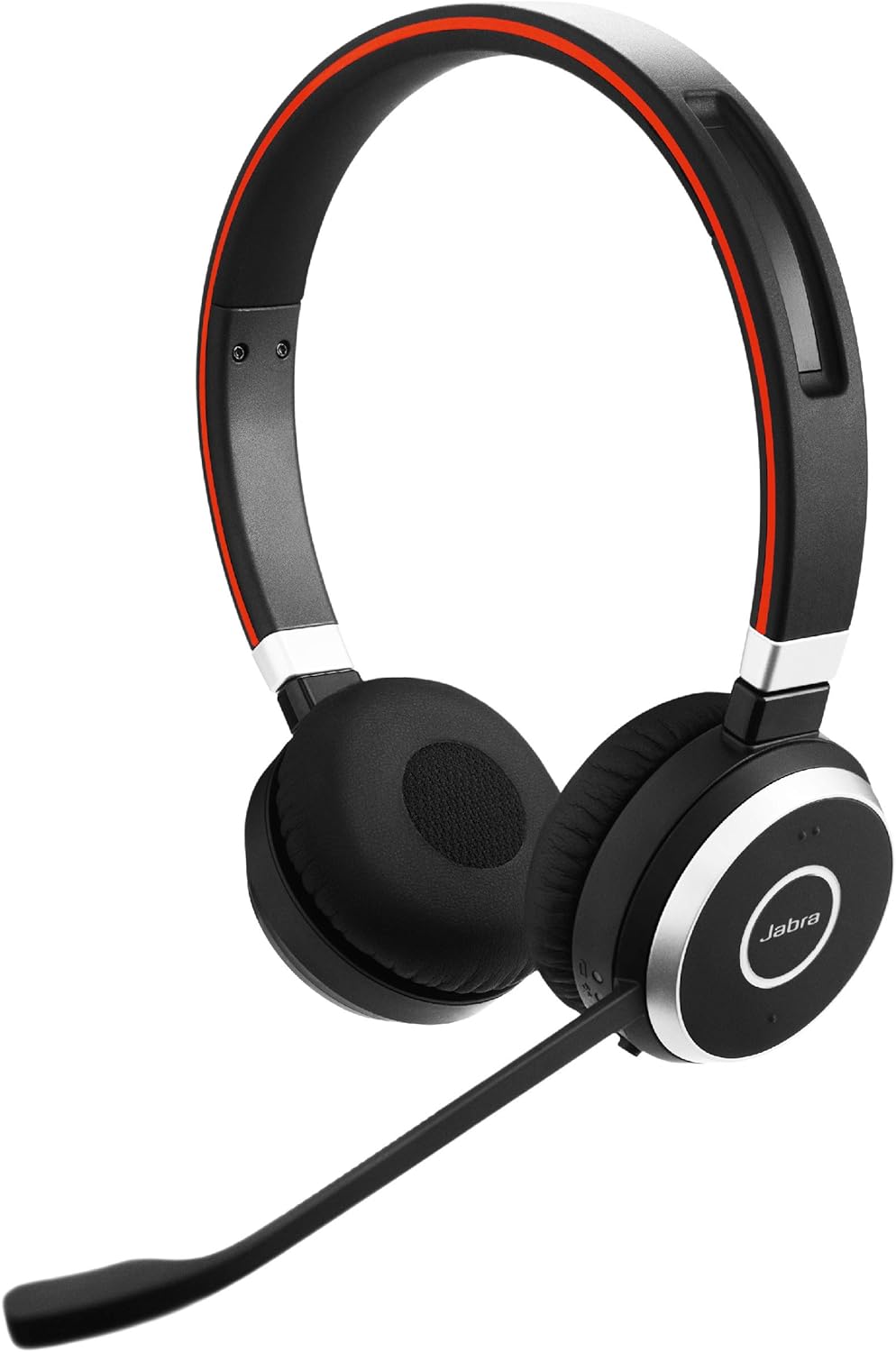
Best Hardware Pairing: Ensure crystal clear audio for transcription with a Jabra Headset.
Check Price on Amazon4. Notion AI: Your Second Brain
If you already use Notion to organize your life, the Notion AI add-on is a no-brainer. Unlike ChatGPT which lives in a separate tab, Notion AI lives inside your notes. It can summarize messy brain dumps, clean up grammar, translate text, or even generate tables from unstructured text instantly.
For those struggling with information overload, Notion AI helps keep your digital workspace tidy. Check out best ways to organize notes for more structural tips.
✅ Pros
- Integrated directly into your workflow.
- Excellent at summarizing long documents.
- Cheaper than many standalone AI writing tools.
❌ Cons
- Requires a paid add-on to existing Notion plans.
- Not as creative as Claude or GPT-4 for fiction.
5. Grammarly: Context-Aware Editing
Grammarly has evolved far beyond a spellchecker. With its generative AI features, it can rewrite emails to change the tone (e.g., “make this sound more professional” or “make this friendlier”). It works across your browser, Slack, and email clients, ensuring you never send a message that could be misinterpreted.
Good communication is vital. See how this aligns with building better communication skills.
6. Descript: Edit Video Like a Doc
For content creators, editing video is the biggest bottleneck. Descript changes the paradigm. It transcribes your video, and you edit the video by deleting the text. If you delete a sentence in the transcript, it cuts the video clip automatically. It also includes “Studio Sound” AI to remove echo and background noise instantly.

7. Perplexity: The Search Engine Killer
Google searching often leads to SEO-spam articles. Perplexity uses AI to browse the web and give you a concise, cited answer. It is incredible for deep research, planning trips (compare this with our travel planning checklist), or understanding complex topics without opening 15 tabs.
8. Todoist: Simple Yet Powerful
Todoist has integrated AI to help you break down complex goals into actionable steps. If you type “Plan a wedding,” the AI assistant can generate a sub-task list for you. It helps overcome the inertia of starting big projects.
For more on goal setting, read about goal tracking apps.
9. Missive: Collaborative Email AI
Missive integrates OpenAI directly into your inbox. You can have it draft replies, translate incoming emails, or summarize long threads. It is particularly good for teams where multiple people manage a single inbox (like support or sales).
10. 1Password: Automated Security
While not “generative” AI, 1Password uses advanced automation to fill forms, generate passkeys, and alert you to breaches. Automating your security is the most responsible task you can do.
Compare alternatives in our review of 5 free password managers.
Which Tool Should You Choose?
Choosing the right stack depends on your primary bottleneck. Here is a breakdown of who should use what:
- For the Meeting-Heavy Executive: Otter.ai + Motion. This combination handles your schedule and your meeting notes automatically.
- For the Content Creator: Descript + Notion AI. This allows for rapid scripting and video editing.
- For the Solopreneur: Zapier + ChatGPT. You can build entire automated businesses with just these two tools.
Remember, automation is a habit. It aligns perfectly with the habits of highly effective people—they don’t do everything themselves; they build systems.
Frequently Asked Questions (FAQ)
Will these AI tools replace my job?
No, these tools are designed to be “copilots.” They handle repetitive, low-value tasks (like data entry or transcription), freeing you up to focus on strategy and creativity.
Are these tools secure for business data?
Most enterprise-grade tools like Zapier, Notion, and Otter have SOC2 compliance. However, you should always check the privacy policy before inputting sensitive financial or personal data into any AI model.
Can I use these tools on a budget?
Yes! Many of these tools (Zapier, Todoist, Otter) offer generous free tiers. If you are watching your finances, check our guide on creating a zero-based budget to allocate funds for the paid versions effectively.
What is the best AI for scheduling?
We currently rate Motion and Reclaim.ai as the top contenders for AI scheduling. Motion is better for project management integration, while Reclaim is excellent for habit defense.
Final Verdict: Start Small
You don’t need to subscribe to all 10 tools today. Start with the biggest pain point in your day. Is it email? Try Missive. Is it meetings? Try Otter.ai. Is it just pure chaos? Try Motion.
Automation is about reclaiming your life. Once you save that extra hour a day, use it for something that matters—whether that’s learning a new skill, hitting the gym, or just relaxing.
Ready to upgrade your workflow?
Browse Top Productivity Tools on Amazon