
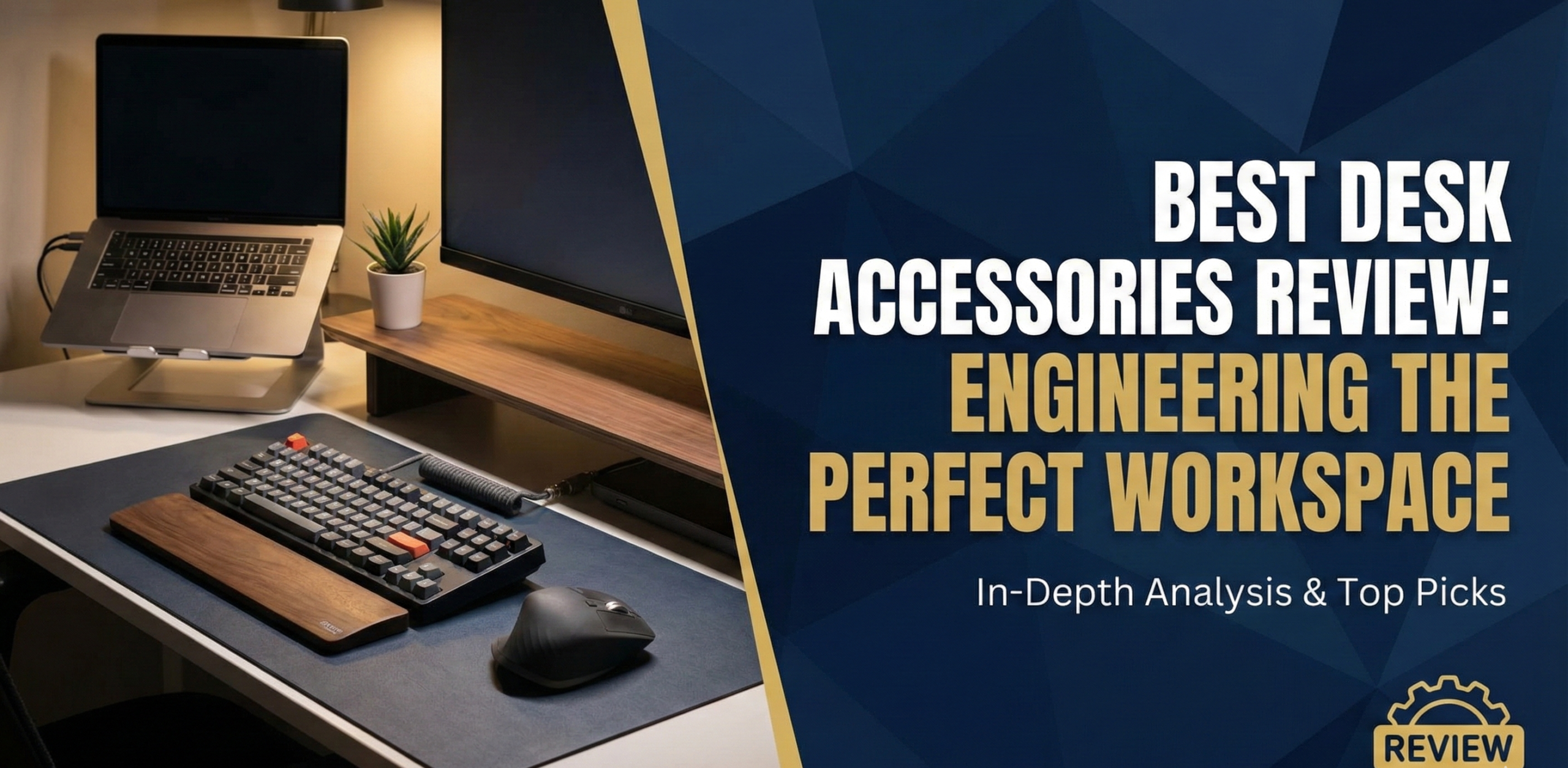
Best Desk Accessories Review:
Engineering the Perfect Workspace
From productivity boosters to ergonomic saviors — we tested, compared, and ranked the top gear to define your ultimate desk setup. No fluff, no filler. Only what survives a 60-hour work week.
Your desk is more than just a slab of wood where you park your laptop — it is the cockpit of your professional life. Whether you are coding the next big app, writing a novel, designing brand identities, or managing a remote team across three time zones, the environment you cultivate directly impacts the quality and volume of your output. We aren’t just talking about aesthetics here; we are talking about workflow optimization, physical health, and mental clarity.
In this comprehensive best desk accessories review, we have moved beyond the generic “nice-to-haves.” We have categorized, tested, and scrutinized the essential tools that transform a chaotic table into a productivity powerhouse. We are looking at the intersection of form and function, identifying gear that not only looks good on Instagram but actually survives the rigors of intensive daily use.
If you have already optimized your digital life with the best productivity apps, it is time to bring that same level of intentionality to your physical space. Whether you are building a desk setup from scratch, upgrading a specific pain point, or trying to determine which premium purchases are actually worth the premium — this guide covers it all.
1. The Foundation: Ergonomics & Posture
Before we get to the flashy lights and tech gadgets, we must address the most critical aspect of your setup: your body. Repetitive Strain Injury (RSI), tension headaches, and chronic back pain are productivity killers that develop silently over months of poor posture. The right accessories act as preventative medicine — investments that pay compounding returns in sustained comfort and focus.
The ideal ergonomic desk posture follows a cascade: feet flat on the floor (or a footrest), knees at approximately 90°, hips slightly above knees, elbows at keyboard height, wrists neutral (not bent up or down), screen top at or just below eye level, and the screen at arm’s length distance. Most commercial desk setups violate three or four of these simultaneously. The accessories in this section exist specifically to correct those violations.
The Wrist Rest Problem
Traditional gel wrist rests often compress the underside of the wrist during active typing, which can actually exacerbate Carpal Tunnel Syndrome rather than prevent it. The correct usage of a wrist rest is as a resting surface between typing bursts — not as a surface you press against while actively striking keys. The DeltaHub Carpio 2.0 takes a different approach entirely, offering contoured gliding pads that move with your hand rather than anchoring it. It feels strange for the first two days — almost like your hand is wearing ice skates — but the reduction in friction and wrist loading is particularly beneficial for designers, writers, and anyone spending extended periods with a mouse.
See DeltaHub Carpio on AmazonCombining this with a proper chair setup is vital. If you are also considering fitness options adjacent to your workspace, check out our comparison on home gym vs membership to see if a standing desk treadmill might fit your lifestyle and space.
2. Monitor Arms, Stands & Laptop Risers
The static monitor stand that ships with your display is the enemy of ergonomics. It forces you to crane your neck downward or stack objects underneath to reach correct eye height. A monitor arm solves this and simultaneously reclaims enormous amounts of desk surface area by lifting your screen off the desk entirely.

Deep Dive Review
During testing, the Ergotron LX was run with a heavy 34-inch ultrawide monitor for two weeks. The arm didn’t droop a millimeter. Unlike cheaper gas-spring competitors that wobble when you type vigorously, the LX remains completely solid. The range of motion is remarkable — you can pull the screen within 18 inches of your face for detailed design work, push it back to reclaim desk space for writing on paper, or rotate it to portrait mode for reading long documents. The cable management channel runs cleanly along the arm’s underside, though thick braided cables can be a tight squeeze.
The mounting clamp fits desks up to 3.1 inches thick, and a grommet mount is included for drilled desk setups. For dual-monitor configurations, the Ergotron LX is available in a dual-arm version that uses a single desk clamp — keeping cable clutter and mounting hardware to a minimum.
Pros
- Exceptional build quality — lasts a decade or more
- Supports heavy ultrawide monitors up to 25 lbs
- Frees up significant desk surface area
- Smooth one-finger height and depth adjustment
- Both clamp and grommet mounting included
Cons
- Significantly more expensive than budget arms
- Cable management channel is slightly tight for thick cables
- Requires a desk edge with sufficient clearance for the clamp
Laptop Risers: The Remote Worker’s Secret Weapon
If your laptop is your primary machine, a laptop riser paired with an external keyboard and mouse is the most impactful ergonomic upgrade available for under $50. A laptop screen placed flat on a desk typically positions the top of the screen 8–12 inches below eye level, forcing constant neck flexion. The Nexstand K2 and the Twelve South Curve are two standout options in this category.
The Nexstand K2 is the best portable option — it folds to the width of a ruler, fits in any laptop bag, and provides adjustable height settings that support 9 to 16 inches of vertical lift. It is the go-to choice for remote workers who alternate between home and café or coworking environments. The Twelve South Curve is a premium fixed-height aluminum riser designed for home use — it adds significant aesthetic warmth to a steel-and-plastic setup and doubles as under-desk storage for hard drives or notebooks.
The External Keyboard Rule
A laptop riser only provides ergonomic benefit when paired with an external keyboard and mouse. Raising the screen without separating the keyboard creates a new problem (elbows too high) while solving the original one (neck too low). Budget $30–$60 for a compact external keyboard whenever you invest in a laptop riser.
3. Mechanical Keyboards: A Deep Dive
The keyboard is the primary physical interface between your brain and your computer — yet most people use whatever came in the box without a second thought. A quality mechanical keyboard dramatically changes the typing experience in ways that directly affect speed, accuracy, comfort, and even the willingness to begin writing tasks (reducing one subtle form of procrastination).
Switch Types: The Core Decision
Mechanical keyboard switches divide broadly into three types based on their actuation character:
- Linear switches (e.g., Cherry MX Red, Gateron Yellow): Smooth, consistent actuation with no tactile bump and no audible click. Preferred by typists who want speed and quietness. Excellent for open-plan or shared home environments where noise matters.
- Tactile switches (e.g., Cherry MX Brown, Gateron Brown, Topre): A slight bump in resistance at the actuation point provides physical feedback that you’ve registered the keystroke without requiring a full bottom-out press. The most popular choice for all-day office typists — reduced finger fatigue, clear feedback, moderate noise.
- Clicky switches (e.g., Cherry MX Blue, Kailh Box White): Both tactile bump and an audible click at actuation. Satisfying for touch-typing, but inadvisable for any shared environment — they are genuinely loud and will irritate people on video calls.
| Switch Type | Best For | Noise Level | Actuation Force |
|---|---|---|---|
| Linear (Red/Yellow) | Fast typists, gamers, quiet offices | Low | 40–45g |
| Tactile (Brown) | All-day office typing, writers | Medium-Low | 45–55g |
| Clicky (Blue) | Home typists who enjoy feedback | High | 50–60g |
| Silent Linear | Open offices, video calls, shared spaces | Very Low | 40–45g |
| Heavy Tactile (Clear) | Deliberate typists, reduces errors | Low-Medium | 65–80g |
Top Keyboard Recommendations by Category
Keychron Q2
Gasket-mounted aluminum frame with hot-swappable switches. Outstanding build quality for the price. Available in compact 65% layout. South-facing RGB for keycap compatibility.
Keychron K2 Pro
Seamless Bluetooth + USB-C with multi-device switching. Up to 4,000 mAh battery. The most practical wireless mechanical for remote workers alternating between devices.
Das Keyboard 4 Professional
Full-sized layout with Cherry MX Brown switches. Dedicated media controls and two-port USB hub. Satisfying tactile feedback that makes long writing sessions noticeably more comfortable.
Akko 3068B
Compact 65% layout with reliable wireless and hot-swap support at under $80. Delivers an 80% of the premium keyboard experience at 30% of the cost.
Desk Mats Amplify Keyboard Feel
Placing your keyboard on a thick desk mat (rather than directly on a hard desk surface) significantly affects the sound and feel of typing. The mat absorbs vibrations that would otherwise resonate through the desk, reducing the hollow “clack” of bottom-out strokes and producing a warmer, more satisfying thud. This single change can make a mid-range keyboard feel noticeably more premium.
4. Lighting: Protecting Your Eyes & Setting the Tone
Lighting is often the last thing people address in a desk setup, but it is arguably the most impactful variable for sustained daily comfort. Bad lighting causes eye strain and headaches — both of which are productivity killers that accumulate gradually and are often misattributed to stress or screen time alone.
There are three lighting elements to address in a home office: ambient room lighting, task lighting for your work surface, and bias lighting to reduce screen-to-environment contrast. If you are trying to reduce screen time or at least the fatigue associated with it, addressing all three lighting zones is essential.

Why It Wins
The BenQ ScreenBar Halo sits on top of your monitor and projects light specifically onto your desk surface using an asymmetric optical design — not toward the screen. This eliminates the glare you get from traditional desk lamps positioned to the side. The auto-dimming sensor reads ambient light levels and adjusts brightness throughout the day, meaning your desk is always illuminated at the right intensity without manual intervention.
The “Halo” designation refers to the rear-facing light that projects against the wall behind your monitor. This bias lighting reduces the luminance contrast between the bright display and the dark surrounding environment — the primary cause of eye strain during evening work sessions. Research consistently supports bias lighting as an effective reduction measure for Computer Vision Syndrome symptoms.
| Feature | BenQ ScreenBar Halo | Xiaomi Mi Light Bar | Quntis Monitor Lamp |
|---|---|---|---|
| Glare Reduction | Asymmetric optics (zero glare) | Standard angle (minor glare) | Basic downward angle |
| Bias Lighting | Yes — full rear glow | No | No |
| Control Method | Premium wireless dial | Wireless basic dial | Touch bar on unit |
| Auto-Dimming | Yes — ambient sensor | No | No |
| Color Temp Range | 2,700–6,500K | 2,700–6,500K | 3,000–6,500K |
| Price Tier | Premium ($179+) | Budget ($40+) | Budget ($28+) |
Natural Light Positioning: The Free Upgrade
Before spending anything on artificial lighting, correctly positioning your desk relative to natural light sources is the highest-ROI change available. Position your desk perpendicular to windows — neither facing them (screen glare) nor with your back to them (glare on screen from behind). Natural light to the side illuminates your workspace without creating screen glare or casting shadows across your keyboard. This single repositioning, costing nothing, can eliminate the need for supplemental task lighting during daylight hours entirely.
5. Organization: The Clean Desk Philosophy
A cluttered desk reflects — and reinforces — a cluttered mind. Princeton University neuroscience research established that visual clutter competes for attentional resources, reducing working memory capacity and the ability to focus. A Princeton study demonstrated measurable cognitive performance improvements simply by clearing visual field clutter. Desk organization is not just aesthetics; it is cognitive performance optimization.
If focus is also a challenge, the physical organization of your space is step one before any digital intervention. You might also want to read our guide on ways to beat procrastination to pair your optimized space with the right mental habits.
The Desk Mat Comparison: Grovemade Wool Felt vs. OrbitKey
The desk mat anchors your setup. It defines the “active work area,” protects the desk surface, reduces keyboard and mouse noise, and visually unifies disparate accessories into a cohesive setup. Two dominant philosophies exist:
- Grovemade Wool Felt Desk Mat: Provides a warm, textured aesthetic that reads as premium without being cold or corporate. Thick enough to meaningfully dampen keyboard sound. Softens the visual temperature of a steel-and-glass setup. The downside: wool can pill over time and is unforgiving of liquid spills — the enemy of the coffee drinker.
- OrbitKey Desk Mat: The functional champion. A “toolbar” along the top edge hides loose papers and small accessories; magnetic cable holders keep chargers in position. Vegan leather surface is spill-resistant, easy to wipe, and stays looking clean with minimal effort. The organizational features justify the price premium over a basic rubber mat several times over.
For those who carry their office with them, maintaining this level of organization on the go is its own challenge. Check out our essential items for your carry-on bag to see how we translate desk organization principles to travel setups.
Drawer Organizers and Desk Storage
The desk surface should contain only what you need for today’s work. Everything else belongs in a storage system. Under-desk drawer units (like those from IKEA’s Alex range or the Uplift Under-Desk Drawer) are the most space-efficient storage solution for home offices — they mount directly under the desk surface and add the equivalent of two desk drawers without consuming any floor space.
For accessories that do need to live on the surface — pens, sticky notes, charging cables, business cards — a desktop organizer with designated zones for each category prevents the entropy of “organized chaos” that gradually degrades most setups. The approach of assigning specific places for specific objects (and returning them to those places after each use) is simple in principle but requires a one-time investment in a tray or organizer that has the right compartment sizes for your specific accessories.
6. Cable Management: The Detail That Defines Your Setup
Cable management is the difference between a setup that looks polished in photos and one that looks polished in real life. More importantly, poorly managed cables create genuine workflow friction — caught cables that disconnect when you shift in your seat, tangled chargers that take 30 seconds to extract, and the visual noise of cable chaos that subtly increases cognitive load every time you look at your desk.
The Cable Management Hierarchy
- Eliminate unnecessary cables first. Audit every cable on your desk. Wireless keyboard? Wireless mouse? Laptop charging via docking station with one cable? Every cable eliminated is better than the best cable management. Wireless peripherals are the most underrated cable management solution available.
- Route remaining cables off the desk surface. Under-desk cable trays (adhesive or screw-mounted raceways) keep power strips, charging bricks, and cable runs completely out of sight below the desk surface. A $15 adhesive cable tray transforms a tangle of visible cords into nothing visible from desk height.
- Bundle parallel cables into single runs. Velcro cable ties (reusable, non-damaging, repositionable) are superior to zip ties for any desk application. Where multiple cables run the same path — from desk to floor, or from power strip to devices — bundle them into a single sleeve for a single-cable visual.
- Label cables at both ends. When cable management is complete, label each cable at both the device end and the power end using small cable labels or colored cable ties. This makes individual cable identification effortless when changes are needed and prevents the “which cable does this power?” problem that leads to plugging and unplugging multiple cables.
- Anchor frequently used cables at desk height. A magnetic cable clip positioned at the front edge of the desk keeps your phone charging cable, laptop charger, and any frequently disconnected cables at a consistent, accessible location rather than sliding off the back of the desk each time they are unplugged.
Cable Management for Glass Desks
Glass desks present specific cable management challenges because traditional under-desk mounting solutions (screws, adhesives on painted surfaces) are not applicable. For glass desks: use adhesive cable clips designed for glass surfaces that match the color of the desk legs to route cables down the frame. Alternatively, use a weighted cable spine — a standing cable organizer that sits on the floor behind the desk and bunches all cables descending from the desk into one neat, weighted column. This works regardless of desk material and requires no mounting hardware.
7. Docking Stations vs USB Hubs: Which Do You Actually Need?
The single-cable desk dream — where your laptop connects to one cable that simultaneously powers it, drives one or two external monitors, and connects all peripherals — is achievable, but the hardware required to deliver it varies considerably in quality and compatibility.
Performance Review
In testing, the CalDigit TS4 ran dual 4K external monitors, an external SSD, a webcam, a dedicated audio interface, and simultaneously charged both a MacBook Pro and an iPhone. The dock barely increased in surface temperature. The 18-port configuration — including three Thunderbolt 4 downstream ports, five USB-A, an SD card reader, a UHS-II microSD reader, and 2.5GbE ethernet — means there is genuinely no peripheral scenario this dock cannot accommodate.
The 98W USB-PD charging is enough to keep a 14″ MacBook Pro above 90% even under heavy load — a bar many cheaper docks fail to clear. For video editors, audio professionals, or developers running intensive workloads from a laptop, the TS4 is a transformative purchase that turns any desk into a full workstation.
Pros
- Massive port selection replaces multiple adapters
- Full 98W charging for demanding laptops
- Thunderbolt 4 supports dual 4K or single 8K monitors
- Stands vertically or horizontally
- Built to last — metal construction, excellent thermals
Cons
- Significantly expensive — not justified for casual users
- Requires Thunderbolt 4 host for full performance
- Single USB-C cable requirement means incompatibility with older laptops
USB Hub vs Docking Station: When Each Makes Sense
| Feature | USB-C Hub ($30–$80) | USB-C Dock ($80–$200) | Thunderbolt Dock ($200–$400) |
|---|---|---|---|
| Single-cable connection | Yes | Yes | Yes |
| Laptop charging | Limited (30–65W) | Good (60–87W) | Excellent (90–98W) |
| Dual 4K monitor support | Rarely | Sometimes | Yes |
| Data transfer speed | USB 3.2 Gen 1 (5Gbps) | USB 3.2 Gen 2 (10Gbps) | Thunderbolt 4 (40Gbps) |
| Best for | Occasional use, travel, budget | Single monitor + peripherals | Power users, dual monitors, heavy I/O |
8. Productivity Gadgets That Actually Work
We’ve covered the basics, but what about the specific tools that accelerate your workflow? These are the gadgets aligned with our broader must-have home office gadgets guide — products that pass the “Does this actually change how I work?” test.
Elgato Stream Deck MK.2
Originally designed for content creators and streamers, the Elgato Stream Deck has become a secret weapon for productivity professionals. It is a customizable keypad with 15 physical LCD keys that execute any macro, shortcut, or automation you assign to them. The power is in the flexibility: it integrates with virtually every major application.
- Video calls (Zoom / Teams / Meet): Map buttons to “Mute Mic,” “Toggle Camera,” “Share Screen,” or “Leave Meeting” — eliminating the fumbled mouse-hunting for the mute button during live calls.
- Creative work: Photoshop, Premiere Pro, DaVinci Resolve, and Figma shortcuts at a single press, with visual icons on each key so you never need to remember a modifier key combination.
- Time management: If you implement time blocking, program the Stream Deck to start timers, open specific apps, and switch workspace profiles with a single button press at the start of each time block.
- Writing and research: Text expansion macros that insert frequently typed phrases, email signatures, or boilerplate text instantly.
Smart Mug: Ember Mug 2
Is a $150 mug a necessary productivity tool? No. Is it a specific luxury that removes a genuine micro-friction from your working day? Yes. The Ember Mug 2 maintains your coffee or tea at the exact temperature you prefer (set via companion app) for up to 1.5 hours on the mug’s battery, or all day when placed on the included charging coaster. The elimination of reheated coffee is a small quality-of-life upgrade that accumulates into a meaningful difference in daily satisfaction — similar to the low-cost, high-return items covered in our kitchen gadgets worth the money guide.
Check Price on Amazon9. Webcam & Video Call Setup
The laptop camera positioned 18 inches below eye level looking up your nostrils became the defining aesthetic of the pandemic era remote work experience — and it communicated precisely nothing flattering about the person on screen. For anyone conducting regular video meetings, client calls, or recorded content, a proper external webcam and lighting setup is a professional communication investment, not a vanity purchase.
The Three Elements of a Great Video Call Setup
- Camera at eye level. Mount your webcam at the top of your external monitor (if using one) or on a small tripod positioned at eye height. This single change transforms your apparent presence on video — eye contact feels natural at eye level; it feels evasive or unfortunate from below.
- Light source in front of you. The BenQ ScreenBar Halo already addresses this for desk illumination, but dedicated key lighting for video calls — a small ring light or a softbox positioned behind your monitor — eliminates the “silhouette in front of a window” problem that plagues home video calls. Your face should be the brightest element in the frame.
- Background intentionality. A clean, curated background is a professional signal. This doesn’t require a virtual background — it requires removing visual clutter from the camera’s field of view and, ideally, having something warm and professional in frame (a bookshelf, a plant, a tasteful lamp).
Top Webcam Recommendations
Logitech Brio 4K
True 4K recording with HDR support and excellent auto-focus. Automatic light correction handles bright windows behind you. The webcam standard for professional video calls.
Logitech C920s HD
The gold standard budget pick. 1080p at 30fps, reliable autofocus, and a built-in privacy shutter. Delivers 90% of professional-call quality at a fraction of the Brio’s price.
Insta360 Link
AI-powered tracking that keeps you centered even when you move. Excellent for teachers, coaches, and anyone who presents standing. Gesture controls for camera switching.
Sony ZV-E10 (as webcam)
For those who want cinema-quality video calls — a mirrorless camera paired with Elgato Cam Link delivers bokeh background blur that no dedicated webcam can match.
10. Audio: Desk Speakers vs Headphones for Focused Work
The audio environment at your desk affects both your ability to focus and your ability to communicate. There are two primary categories: speakers for ambient listening and focus music, and headphones for active noise cancellation and call audio. They serve different functions and many serious desk workers invest in both.
Desk Speakers: When Speakers Beat Headphones
Headphones are optimal for blocking external noise during deep work — but wearing headphones for 6–8 hours continuously creates its own fatigue through ear pressure and the isolation effect. Desk speakers fill the role of ambient audio during lower-intensity work, virtual meetings where you are not the primary speaker, and background music that should not dominate your auditory field.
The Audioengine A2+ are the benchmark for compact powered desktop speakers in the sub-$300 range. They deliver genuinely accurate audio reproduction in a small footprint, connect via USB or aux, and include a built-in DAC that bypasses your computer’s often-mediocre internal audio hardware. For a more budget-conscious option, the Edifier R1280T provides excellent stereo imaging and passive radiator bass at under $100.
Headphones for the Desk: The ANC Decision
Active Noise Cancellation (ANC) headphones represent the largest single productivity investment most remote workers overlook. University of California research found that it takes an average of 23 minutes to fully regain focused cognitive state after an environmental sound interruption. ANC headphones address the most common remote work distraction — ambient home and street noise — at its source. The three-way comparison below covers the current leaders:
| Headphone | ANC Quality | Call Quality | Battery | Best For |
|---|---|---|---|---|
| Sony WH-1000XM5 | Industry-leading | Excellent (8-mic) | 30 hours | Deep work, commuting |
| Bose QuietComfort 45 | Exceptional comfort ANC | Very Good | 24 hours | All-day wear, comfort first |
| Apple AirPods Max | Excellent with Apple devices | Very Good | 20 hours | Apple ecosystem users |
| Anker Soundcore Q45 | Good (not class-leading) | Decent | 50 hours | Budget-conscious remote workers |
11. Wireless Charging & Power Management
A charging cable lying across the front of your desk, plugged and unplugged multiple times daily, is both a cable management problem and a workflow friction point. Wireless charging pads integrated into your desk setup eliminate this friction entirely — your phone charges simply by being set in its designated position.
Wireless Charging Pad Considerations
The Qi2 standard (the successor to original Qi wireless charging) now provides up to 15W of wireless power delivery — fast enough to meaningfully charge a phone during a 30-minute lunch break. For multi-device households, a 3-in-1 charging station (like the Belkin BoostCharge Pro) simultaneously charges a phone, earbuds case, and smartwatch from a single power outlet — replacing three separate charging cables with one surface and one plug.
Desk-mounted wireless charging surfaces — integrated into the desk mat, or adhesive-mounted under the desk surface — eliminate the charging pad entirely from your visual field. Several premium desk mats now include embedded Qi charging zones that make your phone charging position indistinguishable from a regular mat surface.
Power Strip Placement and Surge Protection
The power strip is the unglamorous foundation of any desk setup. A quality surge-protected power strip positioned under the desk — mounted to the desk’s underside or placed in an under-desk cable tray — keeps all power connections invisible from desk height while protecting expensive equipment from power surges. The Tripp Lite Protect It! series and the Anker PowerExtend range offer the combination of USB-A/C integrated charging ports and proper surge suppression (look for clamping voltage under 330V and an energy absorption rating above 1,000 joules).
12. Desk Accessories for Small Spaces
Not every desk setup has the luxury of a dedicated room or an expansive surface. For apartment workers, shared spaces, and corner-of-the-bedroom setups, the constraint of space requires a different approach to accessory selection — favoring vertical storage, multi-function items, and quick-deploy solutions that transition your space between work and personal modes.
Vertical Space Utilization
Every desk has significant vertical space above the surface that most setups leave completely unused. A monitor arm (which raises the screen to eye level and creates empty space below it) combined with a small under-monitor shelf creates a second functional tier on the desk surface: the shelf holds a small speaker, a notebook, and frequently needed accessories; the space under the raised monitor becomes usable desk surface.
Under-Monitor Shelf Riser
Creates a second tier of desk storage. Fits naturally under any monitor arm or raised laptop stand. Ideal for speakers, notebooks, and small accessories.
Floating Wall Shelf
Move reference materials, speakers, and decorative items entirely off the desk surface and onto the wall. Reclaims full desk width without sacrificing storage.
90° Corner Desk Organizer
Fits in the unusable dead zone at the back corner of most desks. Typically includes pen holders, cable pass-throughs, and a small shelf for a phone or tablet.
Wall-Mounted Fold-Down Desk
For the smallest spaces — a wall-mounted desk that folds flat when not in use. Combined with a compact chair, creates a complete work setup that disappears when the workday ends.
13. Standing Desk Accessories & Add-Ons
If you have invested in a height-adjustable standing desk, the accessories that accompany it determine whether the investment translates into daily habit or expensive furniture that stays at sitting height permanently. The research on sit-stand working supports postural variation as the goal — transitioning between sitting and standing multiple times per day — rather than standing for extended periods, which carries its own musculoskeletal risks.
Anti-Fatigue Mat: Non-Negotiable for Standing Periods
Standing on a hard floor for more than 20 consecutive minutes begins to create lower back and leg fatigue that will drive you back to sitting faster than any screen reminder. An anti-fatigue mat with a textured or contoured surface encourages subtle weight shifting and micro-movements that significantly reduce static standing fatigue. The Topo by Ergodriven is the category leader — its topographical surface with raised foot positions and a central balance dome actively encourages movement rather than static standing. The Flexispot MT1 is a solid budget alternative that provides the core cushioning benefit at a lower price point.
Cable Management for Height-Adjustable Desks
Standard cable management (fixed cable runs attached to the wall) fails immediately with a height-adjustable desk because the desk moves but the cable management doesn’t. Standing desks require cable management with enough slack and flexibility to accommodate the full range of desk motion. Solutions: use a cable spine (a vertical bundle of cables that hangs from the desk and coils at the floor when the desk is lowered) or a cable carrier (a flexible plastic chain that houses cables and contracts/extends with desk movement, keeping cables contained at all heights).
Reminder Tools for Standing
The most common failure mode of a standing desk investment is simply forgetting to stand. Smart reminders from apps like Stretchly (free) or custom Stream Deck macros can prompt you to transition positions on a schedule. Some premium sit-stand desk controllers (like those from Flexispot and Uplift) include memory presets and programmable sit-stand reminders directly in the desk’s control panel.
14. Plants, Air Quality & Biophilic Design
Biophilic design — the integration of natural elements into workspaces — is supported by substantial research showing benefits for stress reduction, attention restoration, and cognitive performance. A 2015 study in the Journal of Experimental Psychology found that “lean” office environments (bare desks, no plants) reduced productivity by 15% compared to “enriched” environments with plants and art. Desk plants are not a décor choice; they are a functional element with measurable cognitive impact.
Best Desk Plants by Care Level
Pothos (Epipremnum aureum)
Tolerates low light, infrequent watering, and neglect with grace. Trails attractively over desk edges. One of the most effective air-purifying plants per unit of care required.
ZZ Plant (Zamioculcas)
Thrives in low-light office conditions that would kill most plants. Watered roughly once a month. Architectural glossy leaves add visual interest without demanding attention.
Succulents / Cacti
Require bright light (near a window) but minimal water. Compact form factor suitable for small desk surfaces. The low bar to success makes them confidence-building for plant newcomers.
Snake Plant (Sansevieria)
NASA Clean Air Study star. One of the few plants that produces oxygen at night. Extremely drought-tolerant. Upright form takes minimal desk surface area for its visual impact.
Desktop Humidifier for Air Quality
Home offices, particularly in heated buildings during winter months, frequently have relative humidity levels below 30% — well below the 40–60% range recommended by ASHRAE for cognitive comfort. Low humidity causes dry eyes (compounding Computer Vision Syndrome symptoms), dry sinuses, and skin irritation — all of which create subtle but persistent physical discomfort that undermines sustained focus. A small ultrasonic humidifier running near your desk during heated-air months addresses this directly. The Levoit Classic 300 and the Geniani Top Fill are compact options that run quietly, humidify a workstation-sized area effectively, and don’t visually clutter the desk.
15. Minimal Setup vs Maximal Setup: What’s Right for You
The desk accessory ecosystem can be optimized in two opposite directions, and the right choice depends entirely on your work type, personality, and the physical constraints of your space. Both directions can produce excellent working environments — but they serve different cognitive needs.
The Minimal Setup
- Laptop + external monitor + wireless keyboard + wireless mouse
- Single desk lamp or monitor light bar
- One notebook and one pen
- Desk mat to define the work surface
- Cable management hidden from view
Best for: writers, thinkers, people who work on one task at a time, anyone prone to distraction from visual complexity.
The Maximal Setup
- Multiple monitors (2–3) on articulating arms
- Dedicated audio interface and studio monitors
- Stream Deck, drawing tablet, and specialty input devices
- Under-desk storage, monitor shelves, and cable channels
- Full Thunderbolt dock, smart lighting, and desk accessories for every use case
Best for: video editors, designers, developers, content creators — anyone managing complex multi-application workflows simultaneously.
Build Incrementally, Not All At Once
The most common desk setup mistake is purchasing everything simultaneously and overwhelming both budget and available space. Identify your single largest friction point today — whether it is neck pain from screen height, eye strain from poor lighting, or cable chaos — and solve that one problem first. Use it for 30 days, then identify the next friction point. This approach delivers better outcomes and avoids expensive impulse purchases that don’t address your actual workflow.
16. Gaming Desk vs Office Desk: The Real Differences
Gaming desk setups and professional office setups have converged significantly — the monitor arm, the mechanical keyboard, the headset hook, and the cable management tray appear in both. However, there are genuine functional differences that affect which accessories make sense for each context.
| Element | Gaming Setup Priority | Office Setup Priority |
|---|---|---|
| Desk surface size | Very large (need room for wide mouse movement) | Moderate (laptop + one monitor + documents) |
| Monitor configuration | High refresh rate (144–360Hz), single or ultrawide | Accurate color (4K or calibrated IPS), multiple monitors |
| Keyboard type | Low-latency linear switches, compact for mouse space | Tactile switches, full-size for number pad and shortcuts |
| Audio | Directional headset with boom microphone for comms | High-quality call mic, neutral-sounding headphones or speakers |
| Lighting | RGB ambient and reactive lighting | Neutral white task lighting, bias lighting for eye health |
| Chair | Gaming chair with high backrest and headrest | Ergonomic task chair with adjustable lumbar and armrests |
| Desk mat | Extended XL (full desk coverage for mouse) | Premium quality with document storage features |
The key insight: gaming peripherals are not automatically better for gaming, and office peripherals are not automatically better for office work. A gaming monitor with excellent color accuracy works beautifully for design work. An ergonomic office chair is usually superior for extended gaming sessions compared to a purpose-built gaming chair that prioritizes aesthetics over adjustability.
17. Budget Tiers: Starter, Mid-Range & Dream Setup
You don’t need to spend thousands to build an excellent working environment. Here is a framework for allocating budget across three investment levels, based on prioritizing the accessories with the highest-impact return. If you are saving up for the dream setup, our guide on creating a zero-based budget can help you allocate funds with intention.
Starter Setup
- VIVO single monitor arm ($30)
- Nexstand K2 laptop riser ($30)
- Quntis monitor lamp ($28)
- Basic PU leather desk mat ($15)
- Anker USB-C 7-in-1 hub ($35)
- Velcro cable ties + clips ($12)
Mid-Range Setup
- Ergotron LX monitor arm ($180)
- BenQ ScreenBar (non-Halo) ($109)
- OrbitKey Desk Mat ($80)
- Anker 575 USB-C Dock ($110)
- Keychron K2 Pro keyboard ($109)
- Under-desk cable tray ($22)
Dream Setup
- Ergotron LX Dual ($280)
- BenQ ScreenBar Halo ($179)
- Grovemade wool felt mat ($120)
- CalDigit TS4 Thunderbolt dock ($350)
- Keychron Q2 mechanical keyboard ($150)
- Elgato Stream Deck MK.2 ($140)
- Topo anti-fatigue mat ($99)
| Category | Starter (~$150) | Mid-Range (~$450) | Dream (~$1,100+) |
|---|---|---|---|
| Monitor support | VIVO Single Arm ($30) | Ergotron LX ($180) | Ergotron LX Dual ($280) |
| Lighting | Quntis Monitor Lamp ($28) | BenQ ScreenBar ($109) | BenQ ScreenBar Halo ($179) |
| Desk mat | Generic PU mat ($15) | OrbitKey Desk Mat ($80) | Grovemade Wool Felt ($120) |
| Cable management | Velcro ties + clips ($12) | Under-desk tray + sleeves ($40) | Full cable system + spine ($75) |
| Connectivity | Anker 7-in-1 Hub ($35) | Anker 575 Dock ($110) | CalDigit TS4 Dock ($350) |
| Keyboard | Logitech K380 ($40) | Keychron K2 Pro ($109) | Keychron Q2 ($150) |
18. Footrests, Anti-Fatigue Mats & Floor Accessories
The floor-level ergonomic zone is almost universally ignored in desk setup guides — yet for anyone shorter than 5’8″ (173cm) using a fixed-height desk, a footrest is not optional for correct ergonomic posture. When your chair is adjusted to place your elbows at keyboard height, your feet may not rest flat on the floor. The gap is filled by a footrest, which maintains the knee-at-approximately-90° and hip-slightly-above-knee posture that protects the lower back during extended sitting.
Types of Footrests
- Fixed footrests: Simple tilted platforms that maintain one elevated foot position. Inexpensive, reliable, and sufficient for most users. The Humanscale FM300 is the functional standard in this category.
- Rocking footrests: Allow gentle forward-backward rocking motion that promotes circulation and subtle leg muscle engagement during long sitting periods. Preferred for users who find static seated positions uncomfortable over extended hours.
- Balance board footrests: Create more dynamic movement and core engagement for users who want to maintain some physical activity during desk work. Best suited to shorter standing or working periods rather than all-day use.
For standing desk users, the anti-fatigue mat (discussed in the standing desk accessories section) serves the equivalent role during standing periods. Ideally, a standing desk user has both — a footrest for sitting periods and an anti-fatigue mat for standing periods — addressing both positions in the daily sit-stand cycle.
19. Whiteboards, Note-Taking & Analog Tools
The resurgence of analog note-taking in digital-first workspaces is not nostalgia — it is cognitive science. Research consistently shows that writing by hand encodes information more deeply into long-term memory than typing, due to the additional cognitive processing required by the motor demands of handwriting. Furthermore, a physical notebook cannot send you notifications, show you a badge count, or tempt you to check email.
Desk-Adjacent Whiteboard Options
Glass Dry-Erase Board
Superior writing surface to traditional whiteboards — no ghost marks, never stains, and cleans completely with a dry cloth. The premium choice for anyone with wall space adjacent to their desk.
Whiteboard Desk Mat
Doubles as desk mat and writable surface. Write directly on the surface with dry-erase markers for temporary notes, calculations, or sketches without any vertical wall space required.
Rocketbook Reusable Notebook
Write with Pilot Frixion pens, scan pages to cloud with the app, then wipe clean with a damp cloth. Combines the cognitive benefits of handwriting with digital organization and zero paper waste.
Weekly Desk Pad
Paper pad that covers the desk surface and provides a fresh weekly planning canvas. The act of physically writing a weekly plan on paper is more cognitively engaging than digital planning tools for many people.
The Analog-Digital Stack
The most productive knowledge workers tend to use a hybrid of analog and digital tools rather than committing entirely to either. A common and effective pattern: analog for capture and planning (a paper notebook for immediate note-taking during calls and for daily/weekly planning), digital for storage and retrieval (transferring important notes to Notion, Obsidian, or Apple Notes for searchability). This hybrid leverages the memory-encoding benefits of handwriting while maintaining the searchability and accessibility advantages of digital organization systems.
“Your desk doesn’t just hold your work — it shapes it. Design it accordingly.”
The Complete Comparison: Quick Reference by Use Case
| Use Case | Top Priority Accessories | Skip If Budget-Constrained |
|---|---|---|
| Software Developer | Dual monitors, Thunderbolt dock, mechanical keyboard, anti-glare lighting | Smart mug, decorative items |
| Video / Content Creator | Monitor color accuracy, webcam + key light, stream deck, quality audio interface | Fancy cable management |
| Writer / Journalist | Good keyboard, minimal visual clutter, plants, notebook for capture | Multiple monitors, stream deck |
| Designer / Illustrator | Color-accurate monitor, drawing tablet, monitor arm for positioning flexibility | Stream deck until intermediate level |
| Remote Manager | 4K webcam, professional mic/headset, clean background, reliable dock | Specialized gadgets |
| Freelancer / Consultant | Portable laptop riser, quality headphones, compact dock, good posture setup | Fixed wall accessories |
| Student | Monitor arm, desk lamp, organized storage, footrest | Premium docking, stream deck |
Frequently Asked Questions
What is the most important desk accessory for health?
A monitor arm or laptop riser is the single highest-impact ergonomic accessory available. Keeping your screen at eye level prevents “tech neck” — the chronic cervical spine strain caused by constantly looking downward — which contributes to headaches, shoulder tension, and long-term spinal issues. Pair any riser with an external keyboard and mouse to complete the ergonomic alignment; raising the screen without separating the keyboard creates a new elbow problem while solving the neck one.
Are expensive desk mats worth it?
For regular use, yes. Premium mats from Grovemade or OrbitKey offer materials that don’t peel or pill over time, specialized organizational features (document storage, magnetic cable holders), and significantly longer lifespans than budget alternatives. For coffee drinkers especially, the OrbitKey’s vegan leather surface is worth the premium for spill resistance and easy cleaning. A quality desk mat also meaningfully improves keyboard feel by absorbing vibration from key strikes.
How do I hide cables on a glass desk?
Glass desks require non-drilling cable management. Use adhesive cable clips rated for glass surfaces — these peel off cleanly — to route cables along the desk legs to the floor. A weighted cable spine (a floor-standing organizer that bunches all cables descending from the desk into one column) works on any desk without requiring any attachment hardware. Cable sleeves that bundle multiple cables into one clean visual run also work regardless of desk material.
Do monitor light bars cause screen glare?
Quality light bars like the BenQ ScreenBar use asymmetric optical designs that project light precisely downward onto the desk surface — not toward the screen — ensuring zero glare. Budget alternatives frequently use standard lens angles that do create reflections. Always verify that a monitor light bar specifies “asymmetric optics” or “anti-glare design” before purchasing.
What desk accessories should I buy first?
Prioritize based on your specific friction points, but for most people the order of impact is: (1) monitor arm or laptop riser to fix screen height; (2) a good desk lamp or monitor light bar to address eye strain; (3) cable management to eliminate visual clutter; (4) a quality desk mat to anchor the workspace visually and auditorily. Everything else builds on this foundation. Solve the friction point causing the most daily discomfort first — don’t purchase everything simultaneously.
Is a mechanical keyboard worth upgrading to?
For anyone typing more than two hours per day, yes. The right switch type reduces error rates through tactile feedback, the construction outlasts membrane keyboards by years, and the typing experience is noticeably more satisfying — which subtly reduces psychological resistance to writing tasks. Start with tactile switches (Cherry MX Brown or equivalent) for all-day comfort. Avoid clicky switches in any shared environment or for video calls.
What is the best desk setup for video calls?
Four elements deliver a professional video presence: camera at eye level (top of your external monitor or on a small tripod); front-facing lighting illuminating your face (a key light or monitor light bar positioned behind your screen); a clean or intentionally curated background free from visual clutter; and a quality microphone or headset with a boom mic. These changes alone transform how you appear and sound on calls.
How do I set up a productive desk in a small space?
Maximize vertical space: a monitor arm raises the screen and creates usable desk surface below it; an under-monitor shelf adds a second storage tier. Use wireless peripherals to eliminate cable clutter. A compact 65% keyboard saves significant surface area compared to a full-size layout. Wall-mounted shelves move reference materials completely off the desk. For the smallest spaces, a fold-down wall-mounted desk creates a complete work setup that disappears when the workday ends.
Final Verdict: Building Your Workspace Sanctuary
Building the best desk setup is a marathon, not a sprint. It is about identifying the friction points in your day — be it a sore neck, a cluttered surface, poor lighting, or tangled cables — and solving them with precision tools, rather than accumulating accessories for their own sake.
If you are just starting out, prioritize the Ergotron LX Monitor Arm and a quality monitor light like the BenQ ScreenBar. These two items alone yield the highest return on investment in terms of physical health and sustainable focus. Once the ergonomic and lighting fundamentals are solid, you can expand into productivity accelerators like the Stream Deck, audio upgrades, webcam improvements, and organizational systems like the OrbitKey mat.
The central principle is incremental, friction-led improvement: identify what is most uncomfortable or inefficient today, solve that specifically, and live with the change before the next upgrade. This approach produces a desk setup that is deeply calibrated to your actual workflow — far more useful than any “dream desk” built in one expensive shopping session.
Remember, a great desk setup supports the habits of focused, sustainable work. Be sure to check out the habits of highly effective people to pair your optimized environment with the right behavioral practices — the combination of great hardware and great habits is where real productivity lives.
The Perfect Desk Is Built, Not Bought
Save this guide, audit your current setup against each section, and solve one friction point per week. In two months, you’ll have a workspace that actively supports your best work — not one that fights against it.